
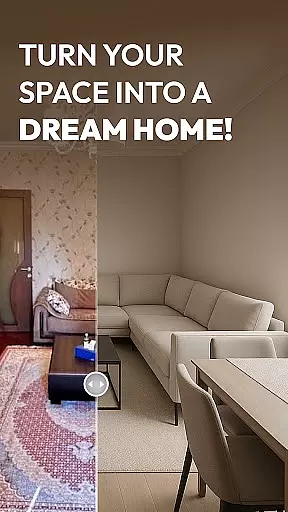
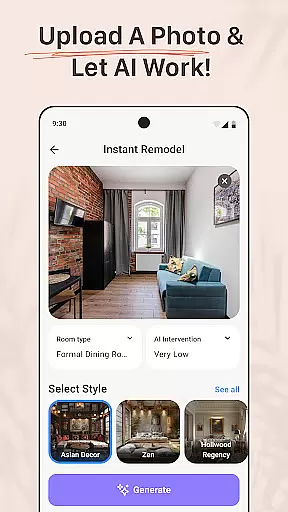
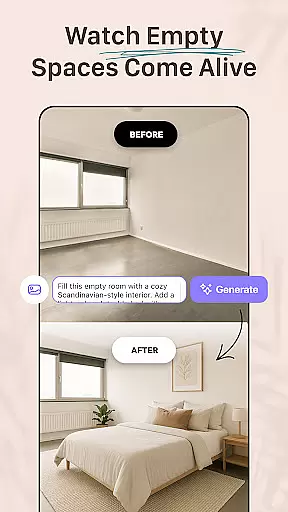
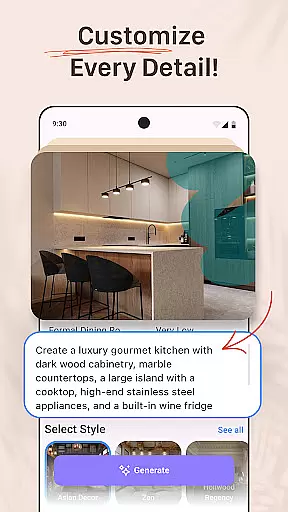
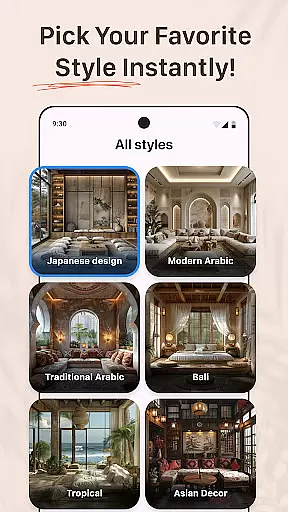
AI Remodel is a mobile app designed to help users visualize home renovation projects with the assistance of artificial intelligence. This Android app allows homeowners, interior designers, and real estate professionals to experiment with different remodeling ideas without committing to physical changes. The app's AI technology transforms photos of rooms into various design styles, providing a glimpse of potential outcomes.
The primary purpose of AI Remodel is to simplify the decision-making process for home improvements. Core features include style transfer capabilities, furniture customization options, and realistic 3D renderings. Users can upload images of their spaces and apply different textures, colors, and layouts. With its intuitive interface, this app-based solution ensures that even those without design experience can achieve professional-grade results.
This app is ideal for homeowners planning renovations, interior designers seeking innovative tools, and real estate agents preparing properties for sale. It particularly appeals to individuals aged 25 to 55 who are tech-savvy and interested in home improvement. Those who value convenience and professional-quality results without hiring experts will find this app especially beneficial.
Practical use cases include visualizing kitchen remodels before purchasing materials, experimenting with wall colors without actual painting, and creating multiple design options for client presentations. Real estate professionals can utilize the app to stage homes virtually, while renters can explore aesthetic changes they can request from landlords. The app experience supports both personal and professional applications.
AI Remodel stands out by offering advanced AI capabilities that produce highly realistic design transformations. The app provides significant time and cost savings by allowing users to preview changes before implementation. Its sophisticated algorithms ensure that modifications appear natural and accurate, maintaining the original room's proportions and lighting conditions.
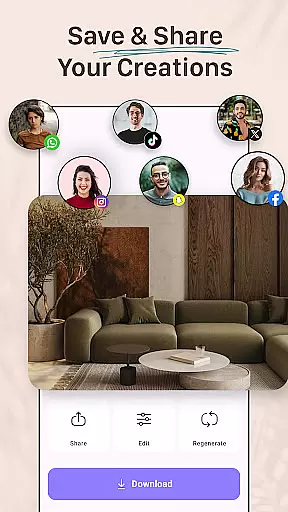
Compared to alternative solutions, this app offers more intuitive controls and faster processing times. The ability to save multiple versions enables easy comparison between different design approaches. Regular updates introduce new features and design options, keeping the app experience fresh and relevant. These advantages make it a preferred choice among similar mobile apps in the house and home category.
Intuitive user interface
Fast rendering speeds
Regular feature updates
Accurate style transfer
Secure cloud storage
Limited free features
Occasional processing delays
Subscription costs required
Advanced tools need learning
Internet connection needed

Our app allows Sunrun customers to monitor systems, pay bills, and get support.
 3.80
3.80
AI-powered home design, interior design, home decor, and room design solutions
4.50
USHUD.com helps you find the best homes for sale in your area
4.00
Book your local plumber 24/7, track your service order & get exclusive coupons
4.00
Find contractors for all home renovation projects. Remodeling, repair, and more.
4.20
The Merkury Smart app makes it easy to control your smart devices.
4.50
Universal Tv Remote Control for all Tv. Cast for chromecast & all Tv Controller
4.20
An easier way to make payments and maintenance requests from anywhere.
3.50
Houses for Sale & Homes for Rent: Buy Homes, Rent Apartments & Sell Real Estate
4.80
Connect with reliable pros for maintenance services, plumbing, and home design!
4.80
Looking for the perfect apartment finder app? Find beautiful rental homes here!
4.60
Apartment finder for apartments for rent. Compare prices, amenities & rentals.
4.50
3D House Design and AI Room Planner - from floor plans to full interior design.
4.40
Set up your devices, customize settings, and monitor your home—from anywhere
4.40
Smart AI plant care schedules, Real plant experts, support & Thriving community!
4.20
Samsung remote app helps control all Samsung Smartthings TVs. Fast and Stable!
4.10
This Fire TV Remote control's your Fire TV Device and Insignia Fire TV Remote
3.70
Use Home by ShowingTime to easily manage showings, tours, feedback and more
3.60
Calculate baluster spacing with ease and precision.
4.2


User Reviews