
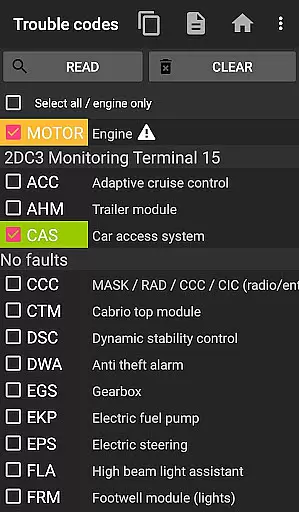
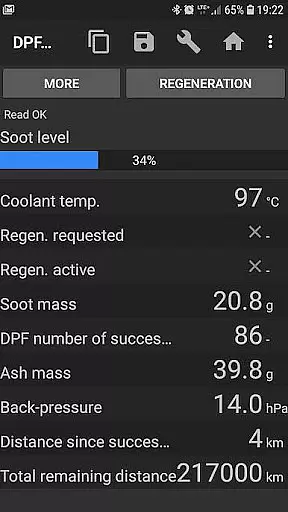
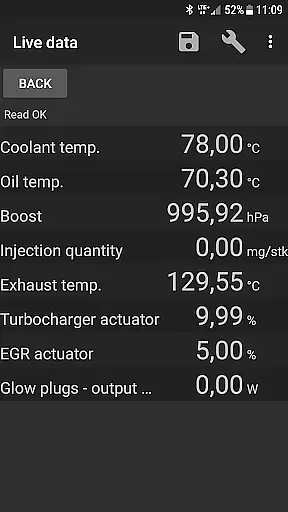
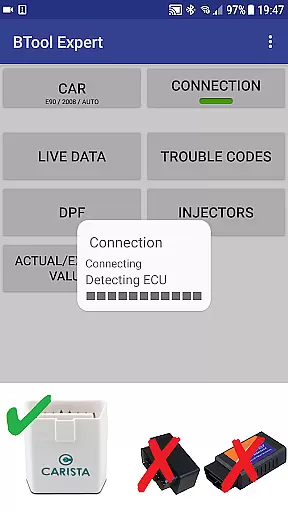
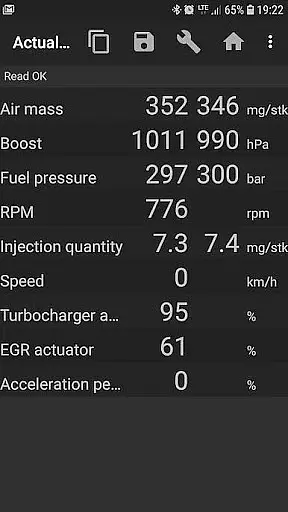
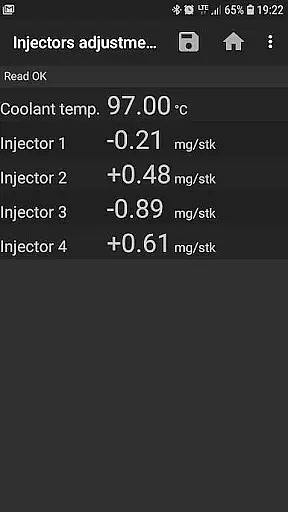
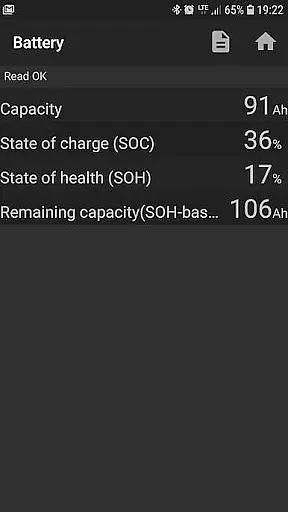
Bimmer Tool is a mobile app designed for BMW enthusiasts and owners who want to access detailed information about their vehicles. This Android app provides users with a comprehensive set of features tailored specifically for maintaining and understanding BMW cars. With its intuitive interface, the app makes it easy to retrieve vehicle data, fault codes, and maintenance schedules.
The primary purpose of Bimmer Tool is to empower users with real-time diagnostics and service tracking capabilities. The app experience includes reading live vehicle data, clearing error codes, and managing service intervals. By offering an app-based solution for car diagnostics, it eliminates the need for expensive third-party tools and enhances the overall ownership experience for BMW drivers.
This app is ideal for BMW owners and automotive enthusiasts aged 25 to 60 who are tech-savvy and interested in vehicle maintenance. It appeals to individuals who prefer a DIY approach to car care and seek an accessible app-based solution. Additionally, mechanics specializing in BMW repairs may find this tool valuable for streamlining diagnostics.
Users can benefit from this app when performing routine check-ups or troubleshooting issues at home. For example, someone experiencing engine warning lights can quickly identify the issue using the app's diagnostic feature. Similarly, professional workshops can integrate this mobile app into their workflow to improve efficiency and accuracy in handling BMW vehicles.
Bimmer Tool stands out by offering a specialized app experience focused exclusively on BMW vehicles. Unlike generic diagnostic apps, it provides model-specific functionalities that enhance precision and reliability. The app features are designed to cater to both casual users and professionals, ensuring versatility in various scenarios. Its ability to deliver real-time data empowers users to make informed decisions about their vehicle's health.
The app solves common problems like decoding complex fault codes and simplifying maintenance tracking. What sets it apart is its commitment to accessibility and ease of use. While other apps may require extensive technical knowledge, Bimmer Tool ensures that even less experienced users can navigate its features effortlessly. This combination of depth and usability makes it a top choice among similar Android apps in the auto diagnostics category.
Comprehensive diagnostics
User-friendly interface
Wide model compatibility
Real-time data updates
Offline functionality
Limited to BMW vehicles
Requires OBD-II adapter
Occasional connectivity issues
Premium features locked
Steep learning curve

Monitor specific TOYOTA parameters by adding this plugin to Torque Pro.
 2.00
2.00
Ferrari inspired analog & digital watch face with quick access and premium style
4.3
Theme for Car Launcher
4.3
Listings of Tesla's with FSD - Included package
4.60
Buy and sell your boat
4.70
MySubaru: Download. Connect. Love.
4.70
Your go-to app for car, truck & SUV parts, DIY tools, and expert repair help.
4.70
Earn and save with Fuel Rewards®
3.20
A smarter way to park and reserve your spot ahead of time.
4.40
Play what you want through Android Auto
4.90
Easy connect & control your cars from afar. Remote Lock & unlock car and carplay
4.60
Secure mobile payments & fuel savings at Phillips 66®, Conoco® and 76® stations
4.40
AI Powered - Automotive Mechanic Assistant
4.30
Car Sounds Engine Sounds app welcomes Auto Lovers to feel Car Simulator Sound
4.20
AlfaOBD software for Fiat Group cars native diagnostic
3.70
Club Car Wash Mobile App—the fast lane to managing your wash membership.
3.30
O'Reilly Pro will streamline your parts lookup and ordering process!
3.20
Easily notify car owners in urgent situations, safe, fast, multilingual.
4.2
DIY Vehicle Wheel Alignment
4.1


User Reviews