
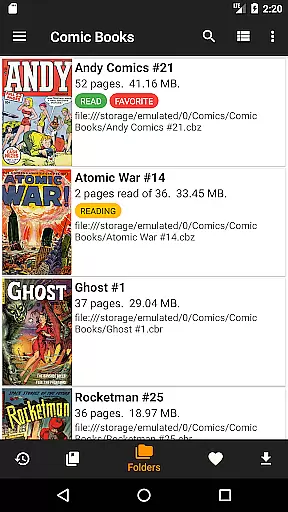
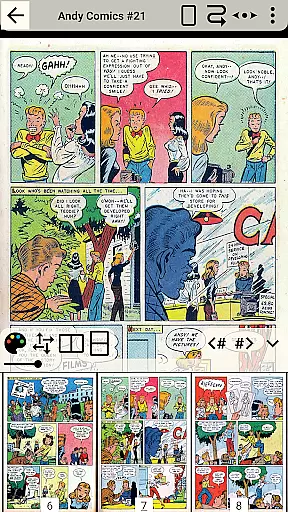
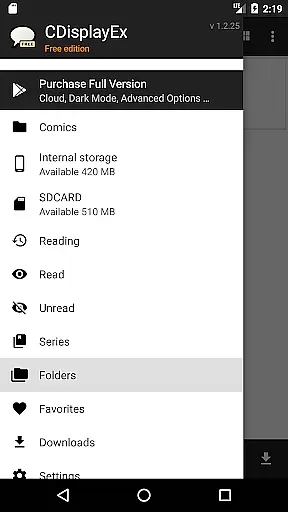
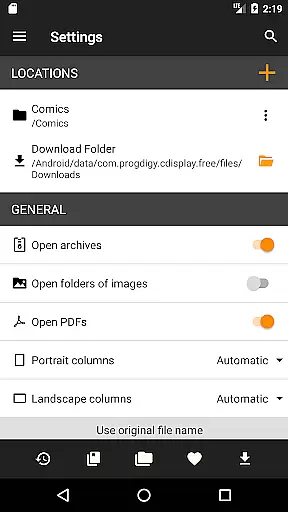
CDisplayEx Comic Reader Lite is a mobile app designed for comic enthusiasts who want an accessible and feature-rich way to read digital comics. This Android app supports multiple file formats including CBZ, CBR, and PDF, making it versatile for various users. The app's interface focuses on simplicity and functionality, ensuring that users can easily navigate their comic library.
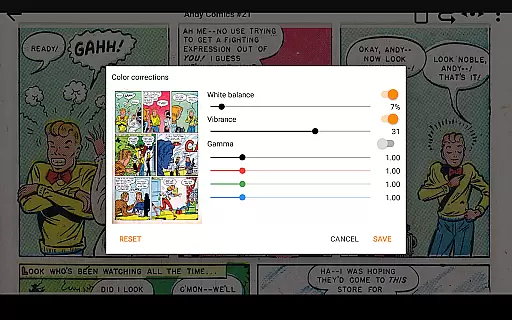
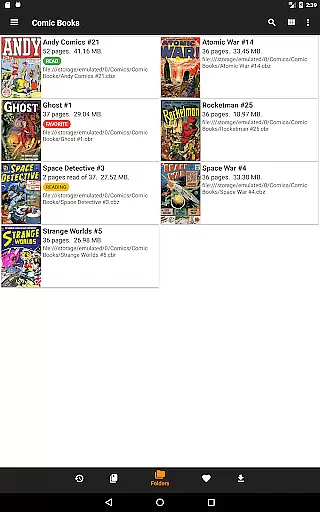
The primary purpose of this app is to enhance the comic reading experience by offering customization options such as zooming, page transitions, and adjustable brightness. It also includes organizational features like tagging and categorizing comics, which help users manage large collections efficiently. With its lightweight design, the app ensures smooth performance even on older devices.
This app is ideal for comic readers of all ages who prefer accessing their collections digitally. It appeals particularly to tech-savvy individuals familiar with digital libraries and those who value organization in their media consumption. Additionally, users with limited storage space on their devices benefit from the app's lightweight design.
Specific use cases include organizing extensive comic libraries for collectors or providing a portable solution for casual readers. For example, users can tag comics by genre or author, making retrieval easy. The offline mode is especially useful for commuters or travelers who may not always have internet access but still want uninterrupted reading sessions.
CDisplayEx Comic Reader Lite stands out due to its combination of versatility and ease of use. The app supports a wide range of file formats, ensuring users are not restricted in their choices. Its customizable features cater to individual preferences, enhancing comfort during long reading sessions. Furthermore, regular updates demonstrate the developer's commitment to maintaining a reliable app-based solution.
Users facing challenges with disorganized digital libraries find this app particularly helpful. By offering tagging and categorization, it simplifies managing large collections. Compared to alternatives, this app provides a balance between advanced features and a straightforward interface, making it suitable for both beginners and experienced users seeking efficiency in their comic reading experience.
Lightweight and fast performance
Wide file format support
Easy-to-use interface
Customizable reading settings
Regular feature updates
Limited advanced editing tools
No cloud sync functionality
Basic design aesthetics
Occasional bugs in older versions
Fewer sharing options

Anime TV App: Watch all anime online,anime tv subtitles online with big anime tv
 3.80
3.80
TMOLector is an app to read all kinds of manga and stories!
4.50
Joke book collection with the funniest dad jokes and riddles for you to enjoy!
4.60
The ultimate app for comic lovers
4.50
Read latest manga with this minimal reader with NO ADS.
4.30
The most popular comic book reader.
4.80
from HipComic: Value Your Comic Book Collection with Just the Snap of a Photo.
3.80
Read and track manga across the web with ease
4.90
SQUARE ENIX's official Manga app!
4.40
This application will enable donated users only function in Perfect Viewer.
4.90
Instant access to over 30,000 Marvel comics with new issues added every week.
4.70
100k comics, manga & webcomics, including Batman, Invincible, Hellboy & more
4.60
Scan comics instantly! Find comic value, price, and key collector details fast.
4.50
Manga Reader for Comics, Webtoons & Manhwa. Read Mangas, Chat Stories and Novel.
4.30
Read webcomics & webnovels
4.20
Pose Tool 3D for the Artists, create any human figure pose quickly for your art.
4.00
Instantly create comic-style art with AI.
3.90
Read officially manga titles from Japan including Attack on Titan
3.80
Get the latest manga chapters daily, released simultaneously with Japan.
3.10


User Reviews