

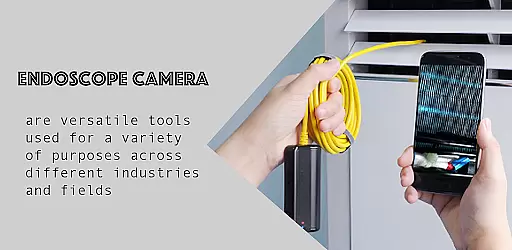
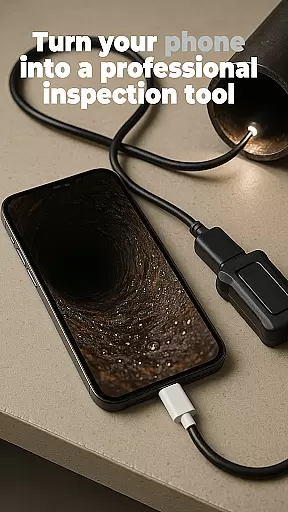
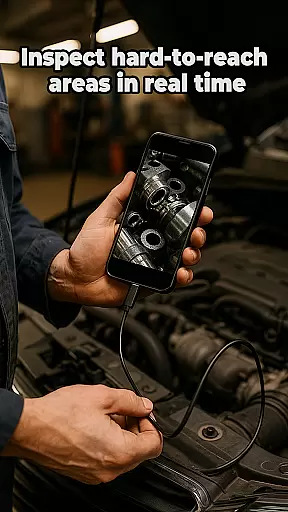
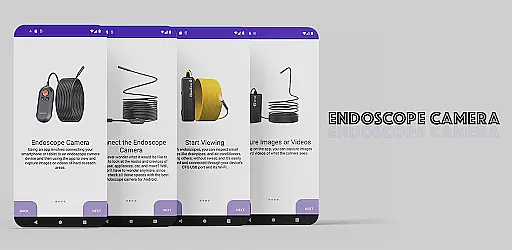
Endoscope Camera is a mobile app designed to transform Android devices into portable endoscopic tools. This app leverages the device's camera capabilities to capture detailed visuals from hard-to-reach areas, making it ideal for both professional and personal use. Its compatibility with various external cameras enhances its functionality.
The primary purpose of Endoscope Camera is to provide users with an accessible and cost-effective solution for inspections. It supports real-time video streaming, photo capturing, and even recording. With adjustable settings such as brightness and resolution, the app ensures high-quality imaging. The app experience is enhanced by its user-friendly interface, which simplifies navigation and operation.
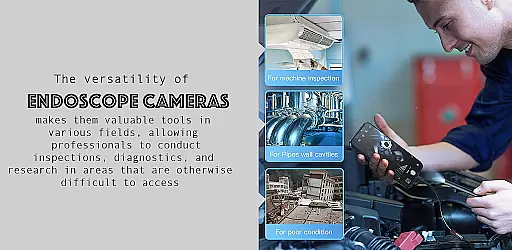
This app is particularly beneficial for professionals in plumbing, automotive repair, or home inspection industries. These users often need to examine confined spaces where traditional tools may not reach. Additionally, hobbyists who enjoy DIY projects or exploring small spaces might find this app useful. The target demographic spans various age groups but focuses on tech-savvy individuals familiar with mobile apps.
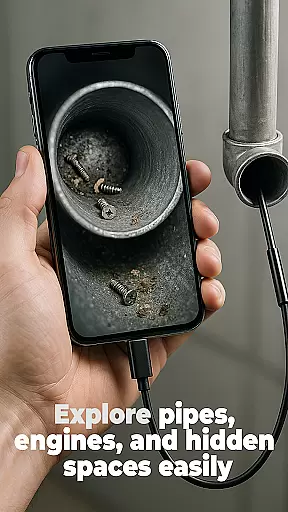
In practical scenarios, a plumber could use Endoscope Camera to inspect pipes for blockages without dismantling them. Similarly, car mechanics might utilize the app to check engine parts that are difficult to access. Homeowners can also benefit by using the app to assess areas like air ducts or wall interiors. Each situation highlights how this app-based solution streamlines inspection tasks efficiently.
Endoscope Camera stands out due to its versatility and ease of use. By transforming a standard Android device into a powerful inspection tool, it eliminates the need for expensive specialized equipment. Users gain access to advanced imaging capabilities at a fraction of the cost. Furthermore, the app's regular updates ensure that new app features are consistently added, enhancing long-term value.
The app solves common problems faced by inspectors and hobbyists alike. For instance, it addresses challenges related to visibility in tight spaces through its compatibility with external cameras. Compared to alternatives, Endoscope Camera offers more customization options such as brightness control and resolution adjustments. These factors contribute to why it remains a preferred choice among similar apps available today.
High-quality imaging results
Wide compatibility with devices
Regular feature updates included
Intuitive user interface design
Cost-effective inspection solution
Limited free version features
Requires compatible external hardware
Occasional performance slowdowns
Learning curve for beginners
Dependent on device camera quality

Wireless reverse charging using phone now is possible
 4.30
4.30
Demo for Key Attestation feature of the Android system.
4.80
Android secret code for smart phone, mobile codes, with secret codes app
4.20
TV USB connector app provides you a seamless cast option from your phone to tv.
4.70
Enjoy hours of entertainment with our Roblox mobile games app
4.3
Mobs maker Minecraft help MCPE creators make their own mob by using Blockbench
3.50
Endoscope camera an app to connect with endoscope cam or any device
3.30
Experience virtual reality on your smartphone with Cardboard.
3.50
The best PS2 games from your childhood come to life in their mobile version!
4.00
Phone Software Update Quick Checker helps you to keep your phone apps up to date
4.50
MirrorLink for connecting your Android phone to your car’s infotainment screen.
4.50
Manage apps & elevate your gaming experience with Game Launcher: Gaming Hub app.
4.30
View your cameras anywhere and anytime
4.20
a wireless controller that provides a seamless and gaming experience for players
3.80
Ps2 plugins for 64 bit artitechture
3.70
Now Available on Android ™
3.40
Collection of Maps and Mods for Dmod
3.30
Zlink Carplay Android a mirror link app with a Carplay interface style
4.0
Mirror Link Car Display to share your screen with car dashboard wirelessly
4.5


User Reviews