
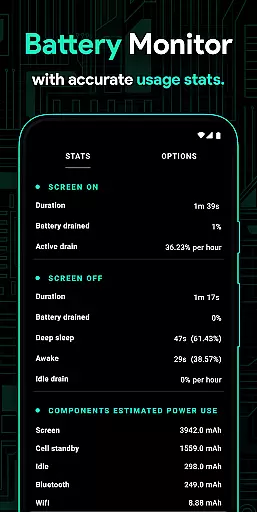
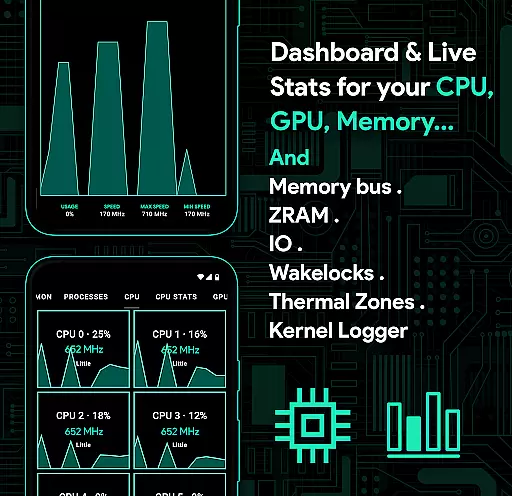
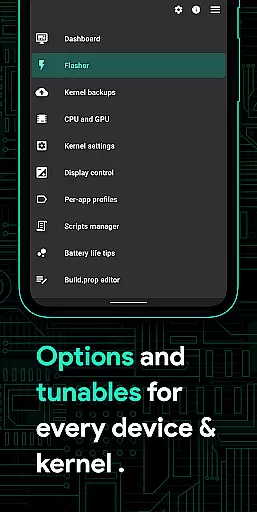
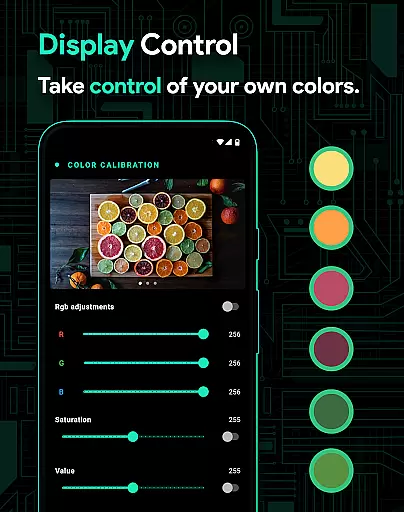
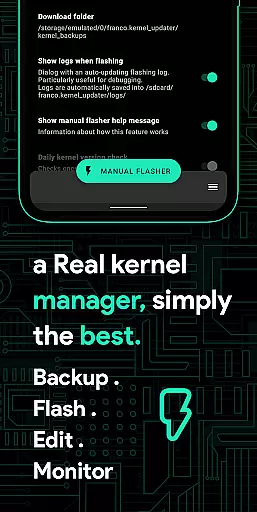
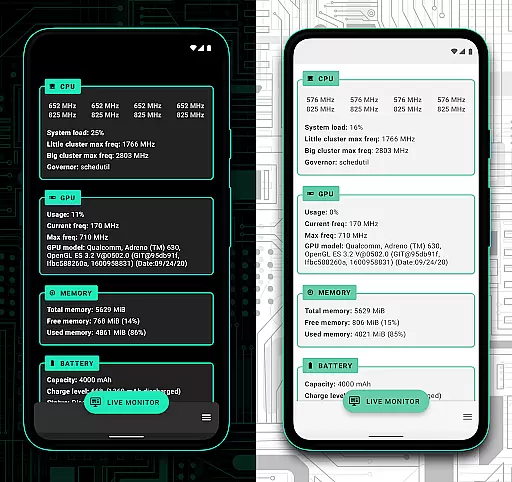
Franco Kernel Manager is a mobile app designed to optimize and manage kernel settings on rooted Android devices. This tool provides users with advanced control over CPU frequencies, GPU settings, and system configurations. The app experience is tailored for tech-savvy individuals who need precise adjustments to enhance device performance.
The primary purpose of this app-based solution is to simplify kernel management while offering a comprehensive set of features. Users can create custom profiles, monitor system health, and apply tweaks effortlessly. With its intuitive interface, the app ensures that even complex tasks are accessible to enthusiasts and professionals alike.
This app is ideal for tech enthusiasts and advanced Android users who have rooted devices. It caters to individuals aged 18-45 who are familiar with kernel management and device customization. The target audience includes developers, overclocking hobbyists, and users seeking enhanced control over their device's performance.
Practical use cases include optimizing a device for gaming by adjusting GPU settings or extending battery life through CPU throttling. Another scenario involves troubleshooting system instability by tweaking kernel parameters. These situations highlight the app's versatility in solving specific user challenges effectively.
Franco Kernel Manager stands out due to its ability to provide granular control over kernel settings without requiring extensive technical knowledge. The app features are designed to simplify complex processes, making it accessible even to intermediate users. Its value lies in empowering users to maximize their device's potential while maintaining stability.
The app solves common issues such as overheating and battery drain by allowing precise adjustments to system resources. What sets it apart from alternatives is its active community support and regular updates. These factors ensure compatibility with the latest Android versions and devices, making it a reliable choice for long-term use.
Highly customizable options
User-friendly interface design
Wide device compatibility
Active developer support
Regular feature updates
Requires rooted device
Steep learning curve
Limited free features
Occasional bugs reported
Not for casual users

Learn the vast amount of system information about device and monitor it's state
 4.70
4.70
Unit and currency converter with easy and simple UI.
4.80
Mirror your screen to Chromecast and Android TV - Super fast and simple
4.60
Bedrock Together: Join any bedrock server on Xbox/PS
4.80
Powerful collection of electronics tools and reference.A must for any enthusiast
4.90
Game Booster, GFX Tool is now compatible with newer game update
4.50
Fun lie-detection pranks for friends and parties.
3.80
Protect your device with antivirus, storage cleanup, and system monitoring
4.70
Your personal health butler
3.60
WiFi Signal Strength Meter help you detect WiFi Signal Strength in real time.
4.80
HD Camera captures every special moment.
4.60
Head tracking for PC sim games such as MSFS 2024 or Elite:Dangerous. No headset!
4.50
Universal TV remote control all TVs, Roku, LG, Samsung, Fire, Vizio, Sony, TCL.
4.40
PC precision for mobile gaming: dominate with keyboard and mouse!
4.30
pdf merge, word to pdf, jpg to pdf, edit pdf, convert to pdf and much more!
4.20
Quickly & easily calculate the spacing of handrail balusters
4.20
Signal Strength, Mobile, Wifi, Speed Test, Bad Signals, Cellular, 5G, LTE, 4G
4.20
A powerful, easy-to-use flight computer on your phone or tablet!
3.80
Clean the junk files on your device
3.40


User Reviews