
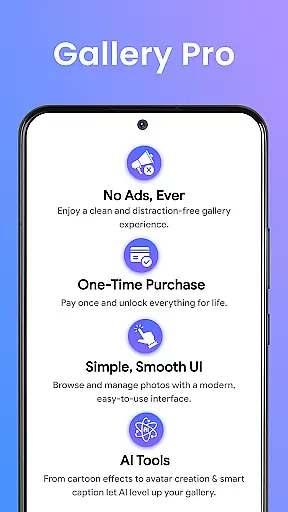
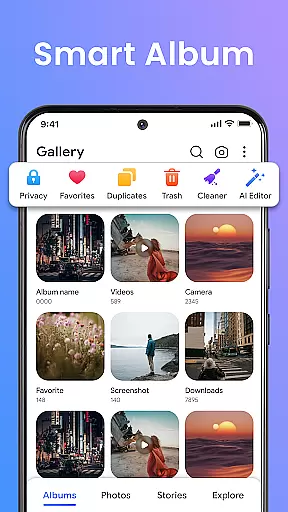
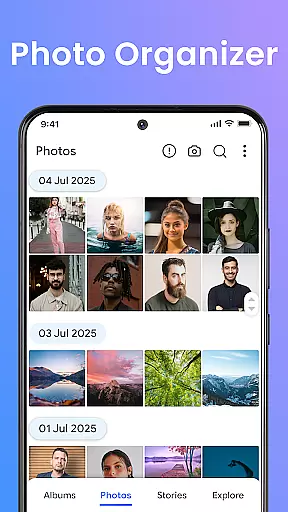
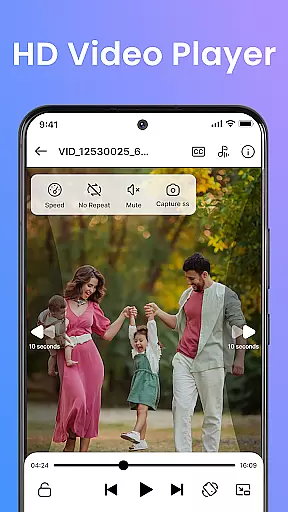
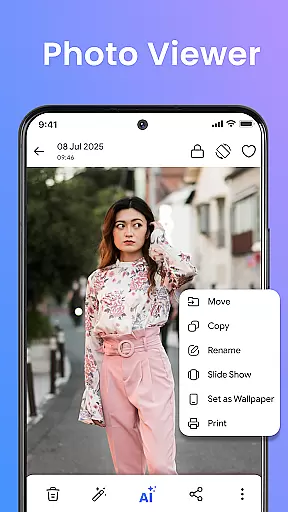

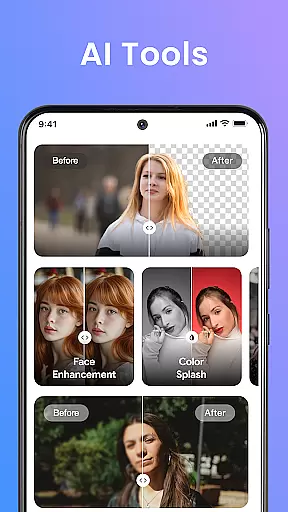

Gallery Pro is a mobile app designed for photography enthusiasts who need an efficient way to organize and edit their photos. This Android app offers a clean interface that allows users to manage photo albums with ease while providing advanced editing tools. The app experience focuses on accessibility and functionality, making it suitable for both casual users and professionals.
The primary purpose of Gallery Pro is to streamline photo management by combining organization features with editing capabilities. Users can create custom albums, secure private photos, and apply filters or adjustments to enhance image quality. With its intuitive design and reliable performance, the app-based solution ensures that managing and editing photos becomes a seamless process.
Gallery Pro caters to a wide range of users, from amateur photographers looking to organize vacation snapshots to professional photographers needing robust editing tools. It is particularly beneficial for individuals aged 18-45 who value both functionality and design in a mobile app. Those who prioritize privacy will appreciate the app's secure vault feature.
Common use cases include organizing family photos into themed albums, enhancing images for social media posts, and safeguarding sensitive pictures in password-protected folders. For instance, travelers might use the app to categorize photos by trip, while freelancers could rely on its editing tools to prepare images for client presentations. The app experience aligns with the needs of tech-savvy users seeking efficiency.
Gallery Pro stands out due to its combination of powerful features and user-friendly design. The app provides a comprehensive suite of tools that cater to both basic and advanced photo management needs. Its ability to secure private content while offering versatile editing options makes it a compelling choice for anyone seeking an all-in-one photography solution.
What sets this Android app apart is its focus on solving common pain points such as cluttered galleries and limited editing capabilities. By integrating cloud backup and offline functionality, the app ensures users never lose their valuable memories. Additionally, regular updates introduce new filters and enhancements, keeping the app experience fresh and engaging. Compared to alternatives, Gallery Pro delivers unmatched value through its balanced approach to utility and simplicity.
Intuitive user interface
Advanced photo editing tools
Secure private gallery option
Cloud backup integration
Regular feature updates
Occasional performance lag
Limited free storage space
Premium features require subscription
Ads in free version
Steep learning curve for beginners

Find time and duration of different sunlight phases at any location
 4.90
4.90
Pet Camera
3.70
Photo prints, cards, & gifts at Walgreens. Easy ordering & fast local pickup !
4.80
Photo editor & gallery. Crop pictures & edit photos offline, no wifi!
4.50
Create AI photos & videos with Enhancer; restore, fix, beautify, enhance photos
4.50
AI photo enhancer with Sora 2! Enhance, descratch, and colorize your old photos.
4.50
Hair color changer, AI haircut app, fun hair editor and buzz cut filter for all!
3.80
Unblur, enhance & restore photos with powerful AI photo enhancer tools.
4.60
Snap photos remotely using your Garmin watch as the camera trigger
4.1
Collage your moments in one tap: 1000+ layouts, filters, stickers, and texts.
4.90
Gallery show photo, video, slideshow, is perfect 3D effect private photo albums.
4.80
1M influencer's special filter
4.60
Safe & smart flight with Go Fly drone controller for 40+ drone camera, zone map
4.50
Future baby face generator: AI kids generator, kid face! What my baby look like?
4.40
All-in-One Editor & AI Photo Enhancer, Beautify & Retouch, Collage, Cartoonify
4.20
Create & Edit with AI: AI Remove, Enhance, Retouch, Filter
4.10
Be your best in every shot! Fix, edit and retouch your face in selfies & photos.
3.70
Over 800 film simulation recipes for Fujifilm. Black Friday Offer!
4.0
Add a dreamy vibe to your selfies and videos with soft style filters
4.1


User Reviews