
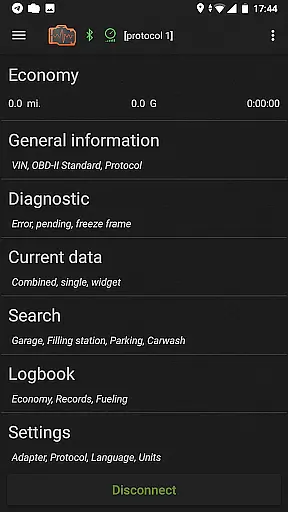
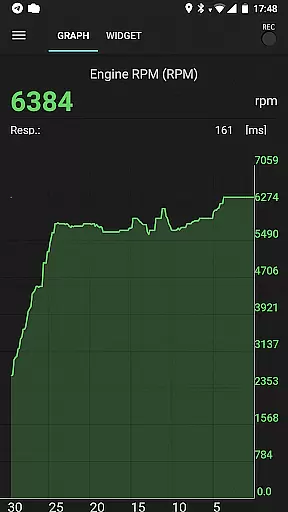
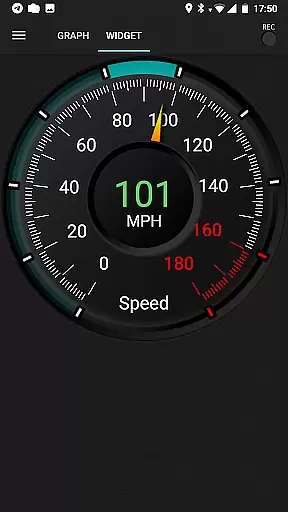
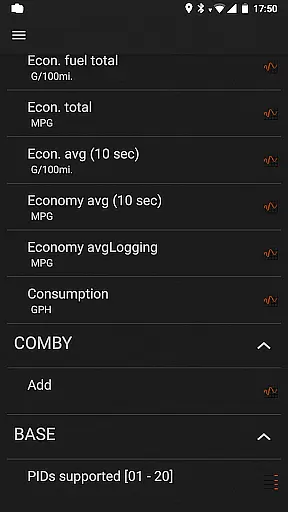
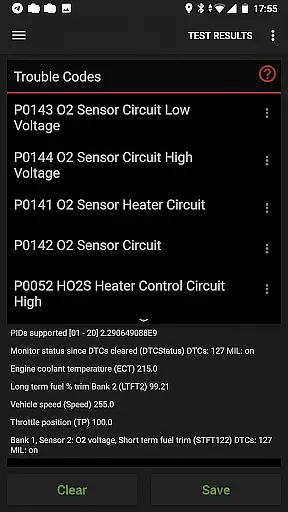
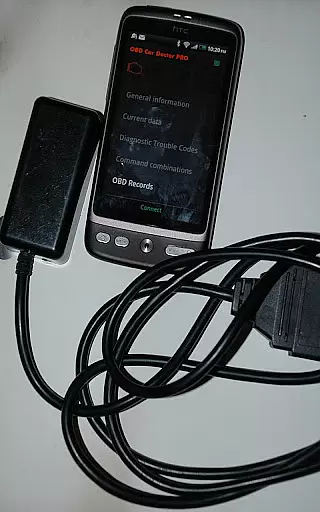
inCarDoc Pro is a mobile app designed for vehicle diagnostics and performance monitoring. This Android app connects to a car's OBD-II system through a Bluetooth adapter, providing real-time data about the vehicle's health. The app features an intuitive interface that translates complex diagnostic codes into easy-to-understand descriptions, making it accessible even for non-experts.
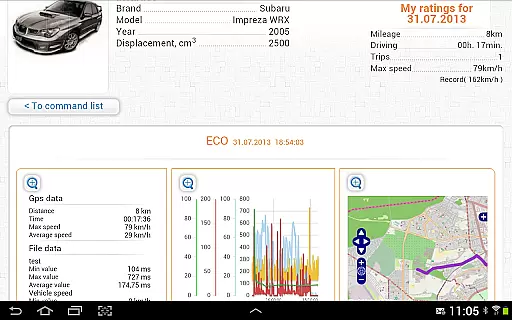
The primary purpose of inCarDoc Pro is to empower users with detailed insights into their vehicle's performance. It offers core functionalities such as reading and clearing error codes, monitoring engine parameters, and tracking fuel consumption. With its focus on delivering a seamless app experience, the tool helps drivers maintain their vehicles proactively while avoiding unnecessary repair costs.
inCarDoc Pro is ideal for car owners who want to take control of their vehicle's maintenance and performance. It appeals to a wide range of users, from tech-savvy individuals in their 20s and 30s to experienced drivers over 40 who value reliability. The app-based solution is particularly beneficial for those interested in automotive technology or seeking cost-effective ways to monitor their car's health.
Specific use cases include diagnosing check engine lights at home, preparing for emissions tests, or tracking long-term vehicle performance trends. For instance, a user can connect the app before a road trip to ensure their car is functioning optimally. Similarly, it serves mechanics and enthusiasts who need a portable diagnostic tool, enhancing its versatility across different scenarios.
Choosing inCarDoc Pro means gaining access to a reliable and comprehensive vehicle diagnostics tool without the need for expensive equipment. The app stands out by offering professional-grade features in a user-friendly package. Its ability to translate complex diagnostic data into actionable insights ensures that users can make informed decisions about their vehicle's maintenance needs.
This Android app solves common problems like unexpected repair bills by enabling early detection of potential issues. Compared to alternatives, inCarDoc Pro provides a more affordable app-based solution without compromising on functionality. Regular updates and active developer support further enhance its value, ensuring compatibility with new vehicle models and maintaining a high-quality app experience over time.
Comprehensive diagnostics
User-friendly interface
Real-time data updates
Multi-language support
Offline functionality
Requires OBD-II adapter
Occasional connectivity issues
Premium version cost
Limited advanced features
Device compatibility limits

Monitor specific TOYOTA parameters by adding this plugin to Torque Pro.
 2.00
2.00
Car Sounds Engine Sounds app welcomes Auto Lovers to feel Car Simulator Sound
4.20
View your car’s service records and find out when maintenance is due.
4.70
Take state-specific DMV permit tests and ace the exam.
3.90
Monitor your behind-the-wheel behavior to become a safer driver and save.
4.10
Find Fast EV Chargers | Charge Your Vehicle at 1,100+ Fast Car Charging Stations
4.60
O'Reilly Pro will streamline your parts lookup and ordering process!
3.20
A smarter way to park and reserve your spot ahead of time.
4.40
Browse millions of cars, track vehicle listings or sell your car today
4.70
Play what you want through Android Auto
4.90
Take Control of Your Car
4.80
Shop, finance, or sell today.
4.80
Instantly redesign your car with AI. From sporty to futuristic, try it all.
4.50
CVT diagnostics with ELM327 for Nissan-based vehicles
4.40
Digital Car Key/Launcher, Screen Mirror, Android Dashboard, Remote Wireless Link
4.40
Your Path to Driving Licensing Success Begins Here! Develop your driving skills.
4.40
Available in select states.
4.00
AlfaOBD software for Fiat Group cars native diagnostic
3.70
Wonder how much horsepower and torque your car/truck makes? Look no further.
3.40


User Reviews