
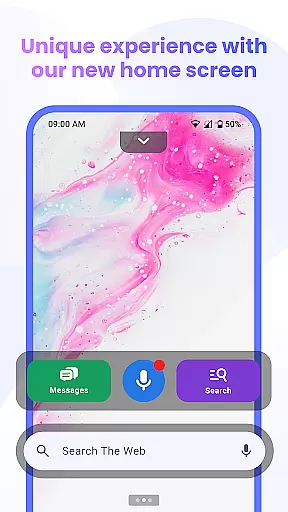


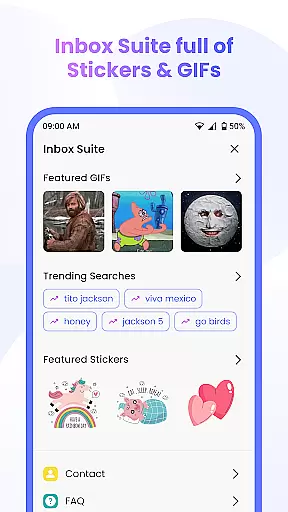

Messenger Chat Home is a personalization mobile app designed to enhance the way users interact with messaging apps on their devices. This Android app transforms the chat experience by offering customizable home screen widgets that streamline access to frequently used features. The app focuses on improving accessibility and convenience for users who rely on messaging as a primary form of communication.
The main purpose of Messenger Chat Home is to simplify navigation within chat applications while adding a personalized touch to the user's device interface. By integrating seamlessly with existing messaging platforms, it provides quick shortcuts and tools that improve the overall app experience. Users can expect an intuitive design that prioritizes ease of use without compromising functionality.
Messenger Chat Home is ideal for individuals who frequently use messaging apps and seek ways to optimize their communication workflow. It appeals to younger audiences, particularly those aged 18-35, who value both aesthetics and functionality in their mobile apps. Tech-savvy users or professionals managing multiple conversations will find this app-based solution particularly beneficial.
This app is especially useful in scenarios where time-saving and organization are critical. For instance, users juggling work and personal chats can benefit from its widget-based navigation. Similarly, those who prefer visually appealing interfaces can take advantage of the customization options. Whether at home or on the go, Messenger Chat Home ensures users stay connected efficiently.
Messenger Chat Home stands out due to its ability to combine practicality with personalization. The app offers a unique value proposition by enabling users to tailor their messaging experience while maintaining high performance standards. Its customizable widgets and themes allow users to create an app experience that aligns with their personal style and functional needs.
What sets this app apart is its focus on solving common pain points associated with messaging apps. By providing quick access to essential features and ensuring compatibility across devices, it addresses issues like cluttered interfaces and slow navigation. Additionally, regular updates ensure the app remains up-to-date with the latest trends and technologies, making it a reliable choice for enhancing communication efficiency.
Highly customizable widgets
Seamless platform integration
Visually appealing themes
Lightweight and fast performance
Frequent feature updates
Limited offline functionality
Occasional notification delays
Device-specific bugs
Ads in free version
Learning curve for new users

Customizable flower power digital watch face for Wear OS watches.
 4.00
4.00
Winter's Journey: digital watch face for Galaxy Watch & Wear OS
4.80
Shimeji adds cute animated characters to your screen, lively and fun.
4.70
Run multiple accounts of the same app on a single device
4.10 4.10
4.10 4.50
4.50
Icons made of colorful linear lines
4.60
Crystal-clear, square icon provides a sleek and sophisticated visual upgrade
4.00
350+ widgets with a premium glass-style finish, perfect for home & lock screens.
4.70
Customizable Glass widgets. Over 360+ stunning widgets and more!
4.70
Personalize your phone with stunning HD and 4K wallpapers!
4.70
Stylish Pink Cute Hippo keyboard with 10000+ customized keyboard themes!
4.60
200+ Material Inspired Widgets
4.50
Art & Emoji Keyboard with Cool Fonts, Cute Themes and Custom Designs.
4.40
Yandex Browser — stylish and secure, with voice search and data compression
4.40
Launcher OS™ Pro without ads help make your phone simple and pretty
4.30
Magic fluids wallpaper 4D: Relax with stunning fluid simulation wallpaper app
4.20
Create unique, fun emojis with Funny Emoji Maker! Unlimited creativity!
4.00
Your go to Weather App & Home Screen. Get your weather at a swipe of a finger!
3.80


User Reviews