
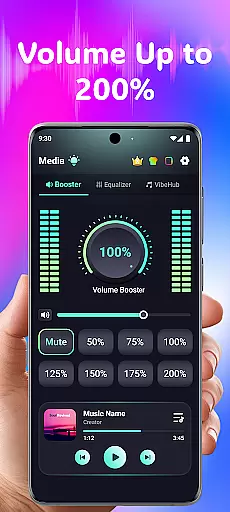
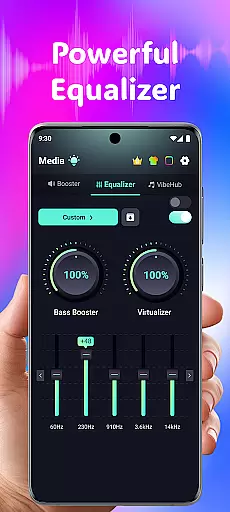
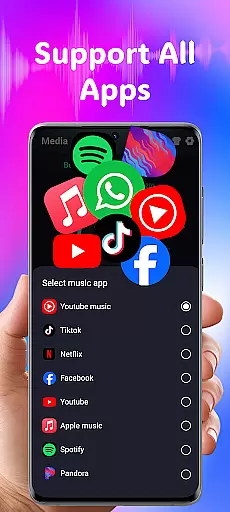
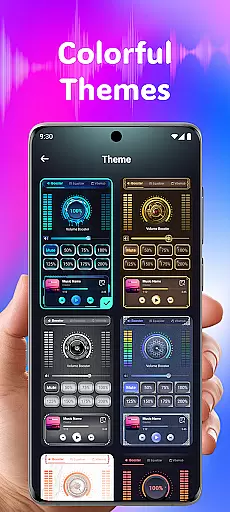
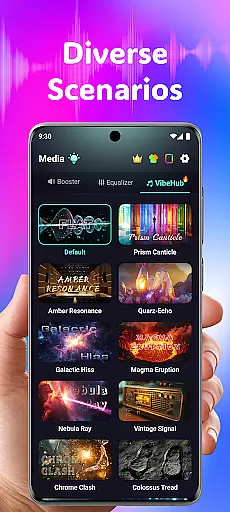
Volume Booster Bass Booster EQ is a mobile app designed to enhance audio experiences on Android devices. This app allows users to amplify sound levels beyond the standard limit, making it ideal for those who need extra volume or richer bass. The app provides an equalizer feature that lets users customize their sound profiles according to personal preferences. With its user-friendly interface, this Android app ensures accessibility even for non-technical users.
The primary purpose of Volume Booster Bass Booster EQ is to improve audio output quality and volume. It caters to individuals who require louder sound for media playback or live events. The app features include customizable bass boost settings, a ten-band equalizer, and various sound presets. These functionalities make it a versatile app-based solution for optimizing audio performance on mobile devices.
This app is particularly suited for individuals who frequently struggle with low device volume or lackluster bass performance. It appeals to younger audiences such as students and young professionals who enjoy listening to music or watching videos on their mobile devices. Additionally, older adults experiencing hearing difficulties may find value in the app's ability to amplify sound.
Usage scenarios include boosting speaker volume during outdoor gatherings or enhancing bass while listening to music at home. Users can also employ the app to optimize sound quality during virtual meetings or online classes. The customizable equalizer makes it suitable for audiophiles seeking personalized audio experiences. Its straightforward design ensures quick adoption across various user groups.
Volume Booster Bass Booster EQ stands out due to its combination of powerful features and user-friendly design. The app offers significant volume enhancement without compromising audio quality, making it a practical choice for various situations. Unlike many competing apps, it provides a comprehensive equalizer with multiple customization options, allowing users to fine-tune their listening experience.
The app solves common audio issues by providing tools to boost both volume and bass effectively. What sets it apart from alternatives is the balance between advanced functionality and ease of use. Regular updates ensure compatibility with new Android versions while maintaining stability. These factors contribute to a reliable app experience that meets diverse user needs.
Easy to install and set up
Lightweight and fast performance
Effective volume amplification
Customizable sound profiles
Frequent feature updates
Occasional audio distortion
Limited advanced settings
Basic visual design
Ads in free version
Battery consumption concerns

World's largest contact lens store
 4.60
4.60
Save up to 80% on your pharmacy prescriptions & medications with free Rx coupons
4.70
Remote, medical-grade heart care at your fingertips
4.70
Assess and treat left neglect more effectively in stroke and brain injury rehab.
4.30
CPR Timer for High Performance AHA BLS / ACLS
5.00
Discover the source of pain with Muscle Trigger Point Anatomy.
4.70
Pelvic Floor Muscle Exercises
4.80
Online Doctors & Condition Management
4.40
MyChart for Android
4.50
A comprehensive medical disease app.
5.00
Take your aphasia therapy to the next level with 4 evidence-based advanced apps
4.70
Sync your blood glucose device, log values automatically and tame your diabetes!
4.60
Anthem/Wellpoint and other health insurance plans
4.60
Radiographic Positioning Guide for Medical Imaging Professionals and Students
4.50
Donating plasma just got easier with the BioLife Plasma Services mobile app.
3.90
An easy way to earn money donating plasma. Book a visit, sit back, and get paid.
3.80
Update medical records, view upcoming appointments, message your provider & more
3.80
Conveniently receive lab results, schedule lab appointment and pay your bills
3.70
A fantastic 3d reference that includes over 300 structures and a quiz function.
3.00


User Reviews