
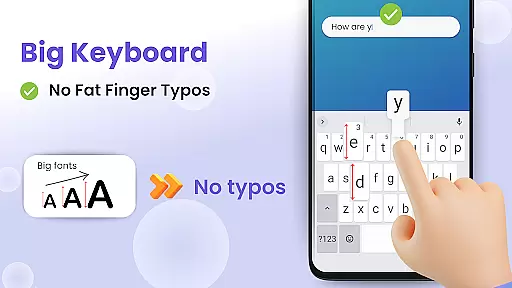
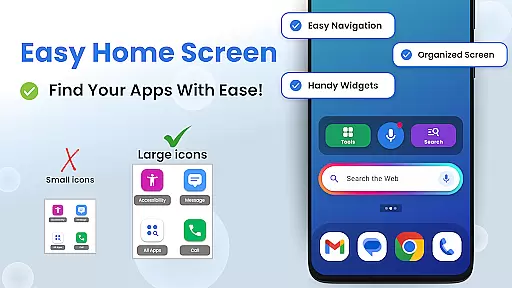
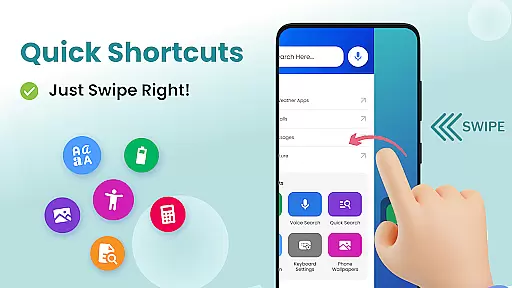

Big Keyboard is a mobile app designed to enhance typing efficiency and comfort on Android devices. This app provides users with an enlarged keyboard interface, making it easier to type without errors. The design focuses on accessibility, ensuring that individuals with vision impairments or motor difficulties can use their devices more effectively. By offering customizable layouts and adjustable settings, Big Keyboard caters to a variety of user needs.
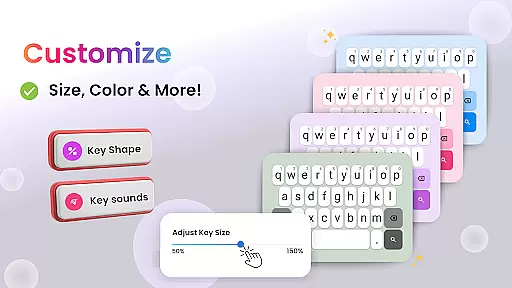
The primary purpose of this app is to improve the overall app experience by addressing common pain points in mobile typing. Key features include larger buttons, high-contrast themes, and support for multiple languages. Users can personalize button sizes and spacing to suit their preferences. With its focus on usability and customization, this Android app ensures a smoother and more comfortable typing process for everyday communication.
Big Keyboard is ideal for individuals who struggle with standard-sized keyboards on their mobile devices. This includes older adults, people with visual impairments, or those with motor skill challenges. Additionally, anyone seeking a more comfortable typing experience on their Android device can benefit from this app. Its straightforward functionality makes it accessible to users of all technical skill levels.
This app-based solution is particularly useful in scenarios where precision and ease of use are critical. For example, composing long emails or entering data in forms becomes less tedious with larger buttons. Professionals who frequently type on their phones for work-related tasks may also find this app helpful. Furthermore, parents introducing their children to mobile devices might appreciate the simplicity and error reduction offered by Big Keyboard.
Choosing Big Keyboard means prioritizing accessibility and convenience in daily mobile interactions. The app's standout feature is its ability to minimize typing mistakes through enlarged buttons and customizable layouts. These elements ensure a seamless app experience, even for users with limited dexterity or poor eyesight. Compared to other keyboard apps, Big Keyboard emphasizes simplicity without compromising functionality.
What sets this Android app apart is its focus on solving real-world problems faced by many users. Unlike standard keyboards, it offers adjustable themes and spacing options tailored to individual preferences. Frequent typists will appreciate the reduced strain on their fingers, while multilingual users benefit from extensive language support. When evaluating alternatives, Big Keyboard remains a top choice due to its practicality and attention to detail.
Reduces typing errors effectively
Customizable button sizes
Supports multiple languages
Lightweight and fast performance
Easy to install and set up
Limited advanced features
Occasional layout glitches
No voice typing option
Basic design aesthetics
Ads in free version

Art & Emoji Keyboard with Cool Fonts, Cute Themes and Custom Designs.
 4.40
4.40
Interactive Miniature Painting Catalogue
3.30
Unique Fonts, typefaces and stylish text. Fonts for Instagram, Whatsapp & others
4.20 3.50
3.50
HappyLighting is a Bluetooth lamp control software.
3.40
Struggling to find apps? Use this app to locate and open any app on your phone!
2.20
400+ Beautifully crafted widgets inspired by NOTHING.
4.70
Transform your device in a game console
4.40
Your home screen, just the way you like it.
4.30
Make your phone look simple & luxury, like iDevice
4.60
Bring adorable pets to life on your screen. Playful, interactive and full of fun
4.60
Over 28,000 high quality icons to bring color & homogeneity to your phone.
4.60
Zip lock screen with magic wallpaper to decorate your phone with fun zipper lock
4.60
300+ Beautifully crafted widgets inspired by OneUI.
4.60 4.50
4.50
200+ Material Inspired Widgets
4.50
AI-powered Copilot. Personalized keyboard with gifs, stickers & themes
4.40
Romantic Kiss Stickers App. Start romantic messaging now!
4.30
Organize and manage your photos and videos effortlessly with Photo Gallery
4.20


User Reviews