
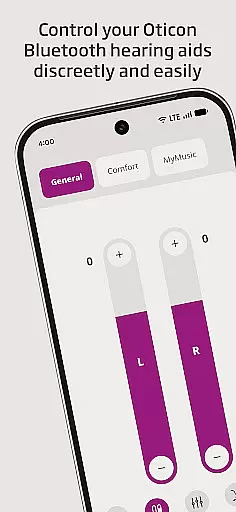
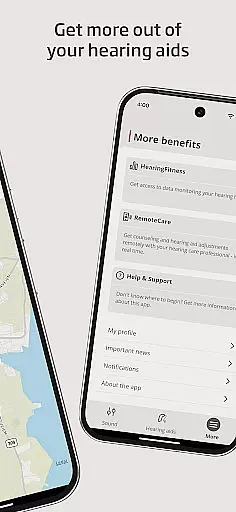
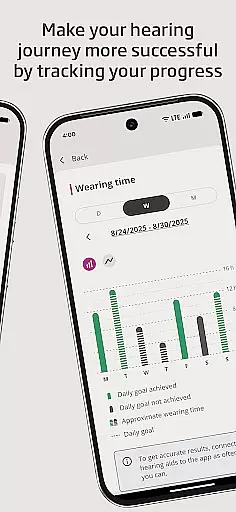
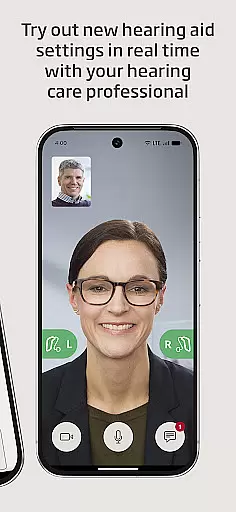
Oticon Companion is a mobile app designed to enhance the experience of users who rely on Oticon hearing aid devices. This Android app serves as a personal assistant for individuals with hearing impairments, providing tools to customize and optimize their listening experience. The app's interface is intuitive and user-friendly, ensuring accessibility even for those who are less tech-savvy.
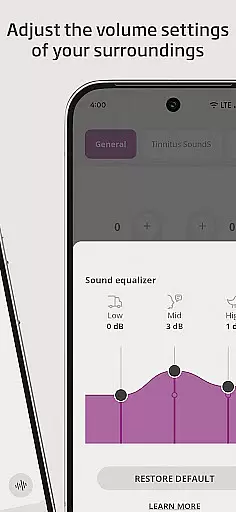
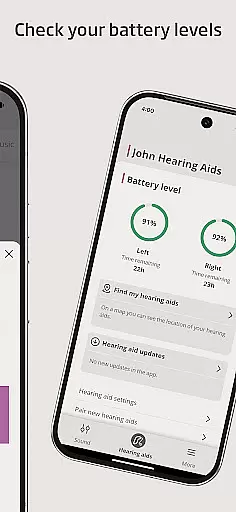
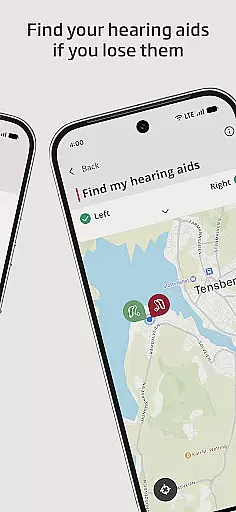
The primary purpose of Oticon Companion is to allow users to control their hearing aids directly from their smartphones. Core functions include adjusting volume, switching between listening programs, and monitoring battery levels. Additionally, the app offers features such as locating misplaced hearing aids and accessing personalized support options. These capabilities make it an essential app-based solution for anyone using Oticon hearing devices.
Oticon Companion is specifically designed for individuals who use Oticon hearing aids. It caters to adults of all ages, particularly seniors who may need extra assistance managing their hearing devices. The app is also useful for caregivers or family members responsible for supporting someone with hearing impairments. Its straightforward design ensures that even those unfamiliar with advanced technology can benefit.
This app proves invaluable in scenarios where users need quick adjustments to their hearing aids without consulting an audiologist. For instance, during social gatherings, users can switch to a program optimized for noisy environments. Caregivers can utilize the GPS feature to help locate lost devices. Overall, Oticon Companion provides a reliable app experience tailored to improving daily life for hearing aid users.
Oticon Companion stands out due to its seamless integration with Oticon hearing aids, offering unmatched convenience and control. Users gain access to features that simplify device management while enhancing their auditory experience. The ability to adjust settings remotely eliminates the need for frequent visits to healthcare providers, saving both time and effort. This makes it a practical app-based solution for modern lifestyles.
What sets this Android app apart is its focus on accessibility and personalization. Unlike generic hearing aid apps, Oticon Companion provides tailored support, including environment-specific sound profiles and direct customer service connections. By addressing common pain points such as lost devices and battery monitoring, it ensures users feel supported at every step. These advantages position Oticon Companion as a top choice among similar mobile apps in the medical category.
Easy-to-use interface
Real-time device control
Helpful GPS tracking
Regular firmware updates
Personalized support options
Limited to Oticon devices
Requires constant internet
Occasional syncing issues
No offline functionality
Higher battery usage

Explore human anatomy with this rich learning experience.
 4.00
4.00
myVCA is your tailor-made guide to raising a healthy and happy pet.
4.90
We’ve made it easy for Oscar members to get care on the go.
4.30
Donating blood and platelets is easier than ever with The American Red Cross.
4.80
Care Simplified by MyChart
3.40
The Better Pharmacy Experience
4.90
Enjoy 200%+ volume booster with bass booster, equalizer and headphone supported.
4.60
Search by insurance, see real-time openings & verified reviews, get care fast.
4.80
CPR Timer for High Performance AHA BLS / ACLS
5.00
A comprehensive medical disease app.
5.00
Live vet support by text/video
4.80
Molina Members: My Molina. Manage your health anytime, anywhere!
4.30
Good for You. Great for Life.
4.00
Donating plasma just got easier with the BioLife Plasma Services mobile app.
3.90
An easy way to earn money donating plasma. Book a visit, sit back, and get paid.
3.80
Easy access to benefits and rewards
3.70
MHealth is the mobile version of MEDITECH’s Patient and Consumer Health Portal.
3.10
A scientifically-proven method to help people with dementia or memory impairment
4.3
OKN Strips, OptoDrum, OKN
4.0


User Reviews