

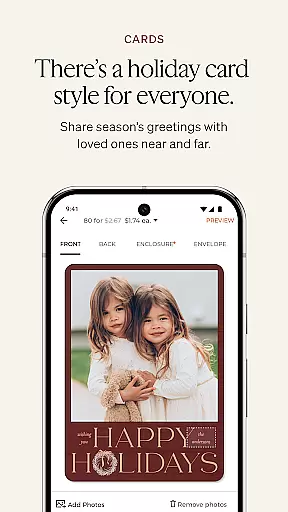
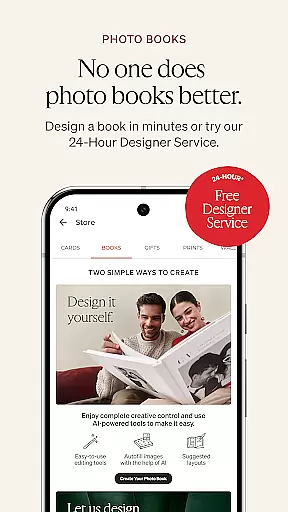
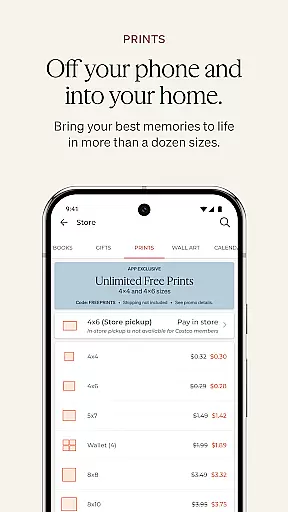
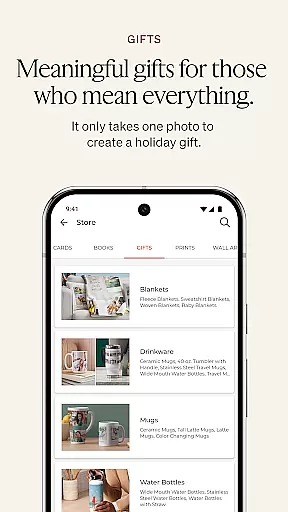
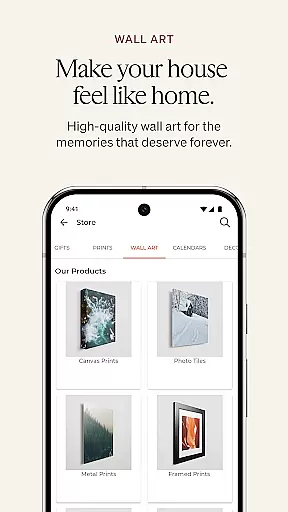
Shutterfly is a mobile app designed for photography enthusiasts who want to preserve and share their memories creatively. This Android app allows users to transform photos into personalized creations such as photo books, cards, and home decor. With an intuitive interface, the app makes it easy to upload, edit, and organize images while offering a variety of design tools to enhance the creative process.
The primary purpose of Shutterfly is to provide an app-based solution for turning digital photos into tangible keepsakes. Users can access features like customizable templates, filters, and layout options to craft unique projects. Additionally, the app supports seamless integration with social media platforms, making it simple to share creations with friends and family.
This app is ideal for individuals who enjoy photography and wish to create personalized keepsakes from their photos. It appeals to a broad demographic, including parents looking to document family moments, travelers wanting to preserve memories, and creative professionals seeking new ways to showcase their work. The app's user-friendly design ensures that even those with minimal technical skills can navigate its features effectively.
Specific use cases include creating holiday cards, designing photo books for special occasions, or ordering customized home decor items. For example, a parent might use the app to design a photo album of their child's first year, while a traveler could create a calendar featuring memorable destinations. These scenarios highlight how versatile the app is in meeting diverse user needs.
Shutterfly stands out by offering a comprehensive suite of app features that cater to both casual users and creative professionals. Its ability to turn digital photos into high-quality physical products provides significant value. The app also ensures a smooth app experience through regular updates and responsive customer support, addressing common pain points like poor usability or lack of customization options.
What sets Shutterfly apart is its focus on delivering an app-based solution that combines creativity with convenience. By integrating advanced editing tools, customizable templates, and seamless sharing capabilities, the app addresses the need for both functionality and aesthetic appeal. Furthermore, frequent promotions and discounts make it an attractive choice for budget-conscious users who still desire premium-quality results.
Easy-to-use interface
Wide selection of templates
High-quality photo prints
Regular feature updates
Strong social media integration
Occasional syncing issues
Limited free design options
Subscription fees for premium
Slower load times on older devices
Customer support delays

Safe & smart flight with Go Fly drone controller for 40+ drone camera, zone map
 4.50
4.50
Photobooth mini FULL app will allow you to add more fun to your parties
4.00
Android Native system HD camera app. Never been so simple and faster.
4.70
Photo prints, cards, & gifts at Walgreens. Easy ordering & fast local pickup !
4.80
Over 800 film simulation recipes for Fujifilm. Black Friday Offer!
4.3
Professional photography on your mobile phone
4.20
Unblur, enhance & restore photos with powerful AI photo enhancer tools.
4.60
Professional camera app that brings DSLR manual photography controls to Android.
4.20
Try an anime version, cartoon yourself, and generate AI hug or aging videos!
3.70
AI Photo Editor with 100+ Filters, Effects! Remove BG, Retouch & Photo Enhancer.
4.80
Automatically backup your photos and videos to computer, NAS and Cloud services
4.60
HD Camera Pro with HD Video shooting, Panorama, Photo editor , Beauty Camera.
4.50
All-in-One Editor & AI Photo Enhancer, Collage, Cartoonify, Funny Stickers & BGS
4.10
Remote control of the phone camera from your Wear OS smartwatch
3.70
Be your best in every shot! Fix, edit and retouch your face in selfies & photos.
3.70
An interval timer to automate photo taking process for timelapse
2.90
Long exposure camera with computational photography
2.60
Photo Album Watch Face shows your favorite pictures as a Watchface.
1.90
Remote control the phone camera shutter from your smartwatch and take a picture
1.60


User Reviews