

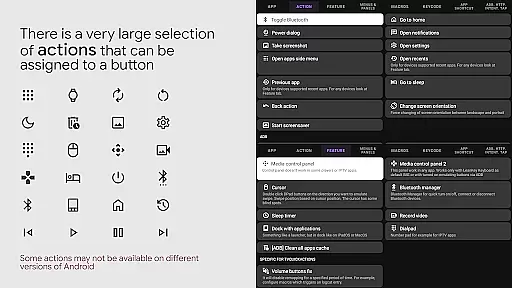
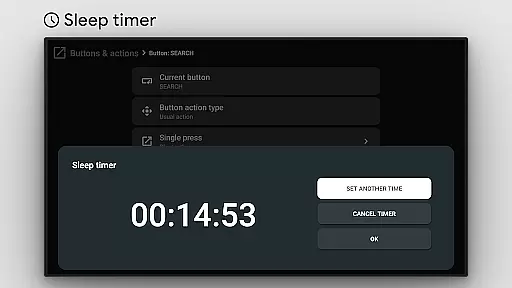
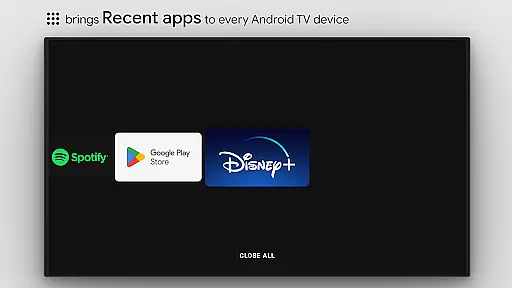
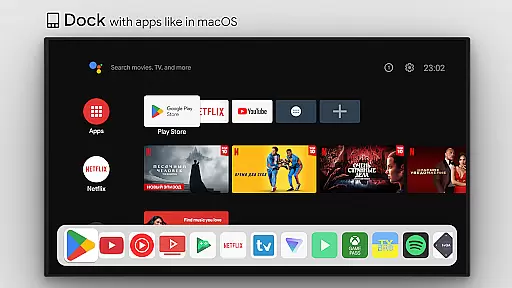
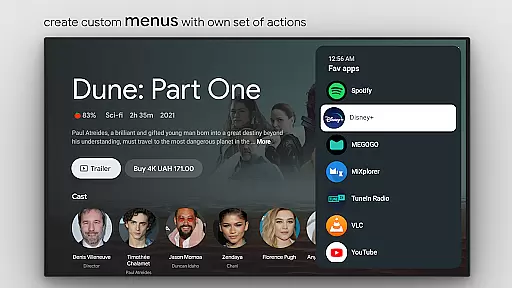
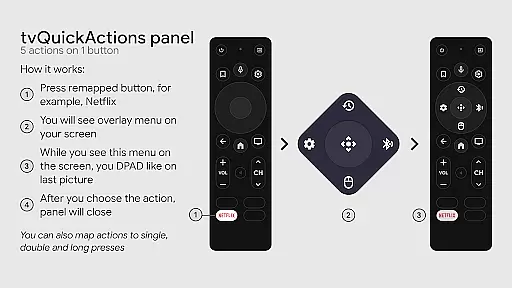
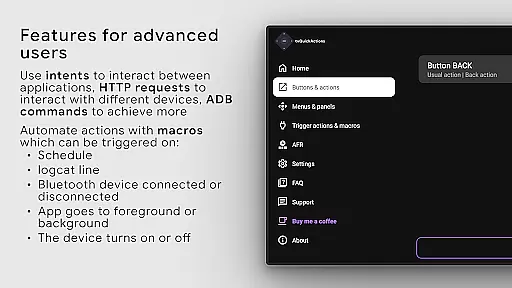
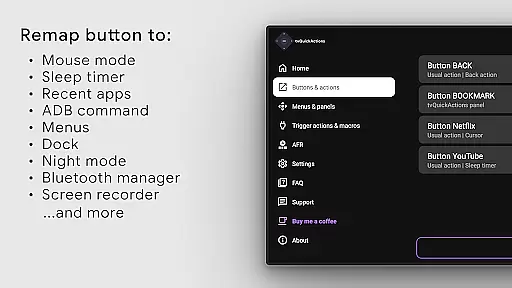
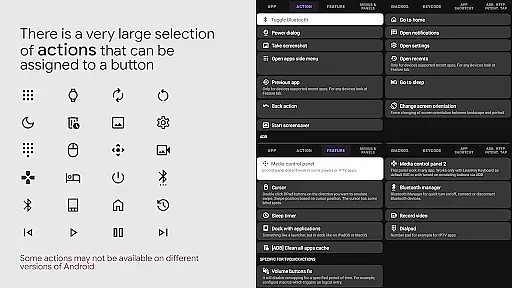
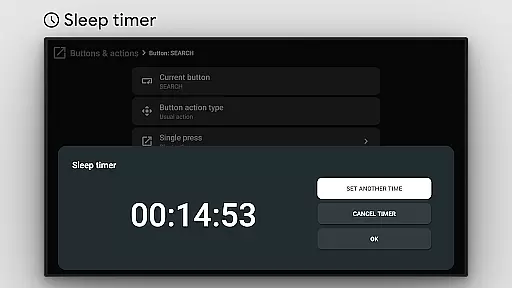
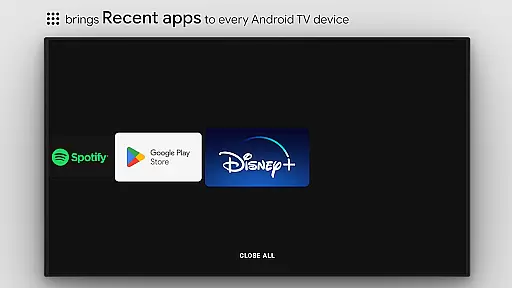
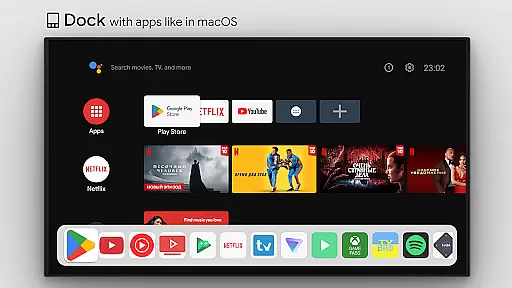
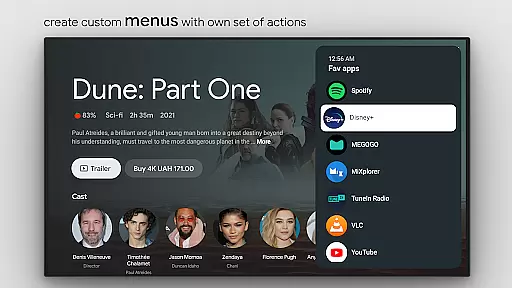
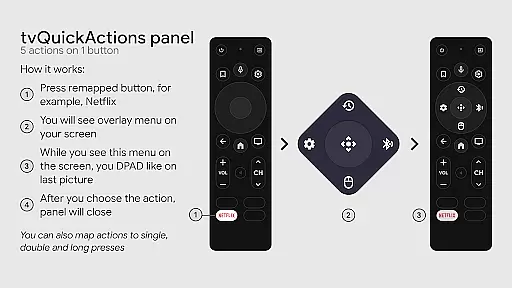
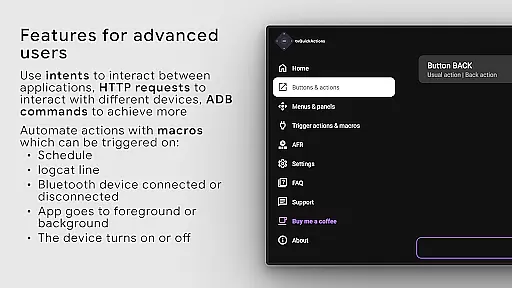
tvQuickActions Pro is a mobile app designed to enhance the functionality of Android TV devices. This app allows users to create custom shortcuts for frequently used actions, streamlining their overall experience. With its intuitive interface and robust customization options, it stands out as a powerful tool for managing Android TV operations efficiently.
The primary purpose of tvQuickActions Pro is to simplify complex tasks on Android TV by providing quick access to essential functions. Core features include customizable buttons, support for multiple actions, and seamless integration with existing TV settings. By focusing on accessibility and ease of use, this app-based solution ensures that even novice users can optimize their TV experience without hassle.
This app is ideal for individuals who frequently use Android TV devices and seek ways to streamline their workflows. It caters to tech-savvy users as well as beginners looking for an easier way to manage their smart TVs. The target audience includes young adults and professionals aged 18-45 who value efficiency and customization in their home entertainment systems.
tvQuickActions Pro proves particularly useful in scenarios where users need quick access to specific TV functions. For example, it can be used to create shortcuts for launching streaming apps, adjusting volume settings, or switching inputs. Families with shared TV setups may also benefit from personalized shortcuts tailored to each member's preferences, making the app a versatile app-based solution for various households.
tvQuickActions Pro offers a unique combination of customization and convenience, setting it apart from other tools in the Android app market. Its ability to create tailored shortcuts significantly reduces the time required to perform routine tasks on Android TV. Users benefit from a streamlined experience that enhances productivity while maintaining ease of use.
The app solves common pain points such as navigating through multiple menus or remembering complex sequences of actions. By providing a centralized platform for managing TV functions, it eliminates unnecessary steps and simplifies interactions. Compared to alternative solutions, tvQuickActions Pro stands out due to its focus on personalization and regular feature updates, ensuring that it remains relevant and valuable to its audience over time.
Highly customizable options
User-friendly interface design
Fast and responsive performance
Regular feature updates
Offline functionality available
Limited to Android TV devices
Occasional update delays
Requires initial setup time
Premium version has a cost
Not compatible with all models

Use your phone as a webcam on your computer over WiFi or USB.
 4.40
4.40
Unlock your Essential Key. Create custom shortcuts to your favorite apps!
4.2
Save any video in HD - paste the link, download fast and watch offline.
4.2
Universal TV remote control all TVs, Roku, LG, Samsung, Fire, Vizio, Sony, TCL.
4.40
Optimize your WiFi network, turn your phone into Wifi Analyzer
4.70
Forza Tuning Calculator App for Forza Horizon 5, Motorsport and Earlier Titles
4.40
Signal Strength, Mobile, Wifi, Speed Test, Bad Signals, Cellular, 5G, LTE, 4G
4.20
Creation, Learning, Entertainment & More — The All-in-One AI Search Engine
4.70
Screen recorder with audio to record high-quality videos and take screenshots.
4.40
Remote Play with FSR upscaling, low latency & full controller support
4.80
WiFi Signal Strength Meter help you detect WiFi Signal Strength in real time.
4.80
Mirror your screen to Chromecast and Android TV - Super fast and simple
4.60
App to pay for FUTO Keyboard
4.60 4.50
4.50
Head tracking for PC sim games such as MSFS 2024 or Elite:Dangerous. No headset!
4.50
Carry a FTP server in your pocket and avoid USB cables for file transfer
4.20
A convenient photo, video, and file recovery tool.
4.00
Fun lie-detection pranks for friends and parties.
3.80
PDF Reader - Document Viewer: Read, Manage & Organize Your Documents
3.10


User Reviews