
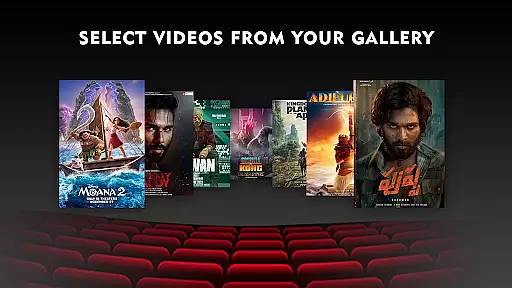
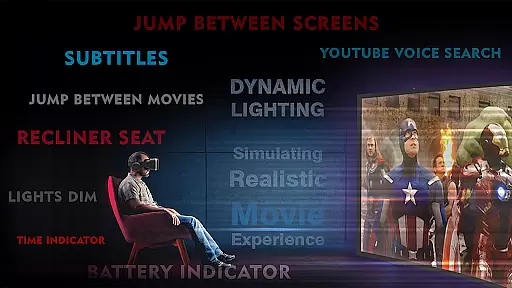
VR Player Plus - Movie Theatre is an entertainment-focused mobile app designed to enhance the virtual reality experience for movie enthusiasts. This Android app allows users to watch videos in a simulated theater environment, offering a unique blend of immersion and convenience. With support for various video formats and customizable settings, it caters to those seeking a premium home cinema feel.
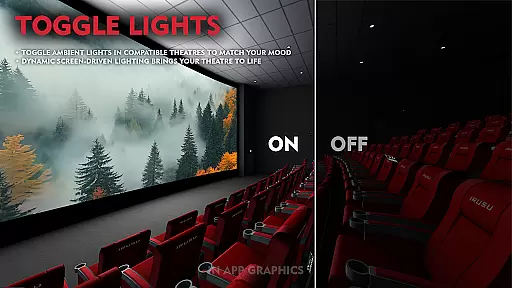
The app's primary purpose is to provide a realistic movie-watching experience through VR technology. Users can enjoy features such as 3D video playback, adjustable screen sizes, and ambient lighting effects. By combining advanced media player capabilities with VR compatibility, this app-based solution delivers an engaging way to consume content while maintaining ease of use.
This app appeals primarily to tech-savvy individuals aged 18-45 who own VR headsets and are interested in innovative entertainment solutions. Movie enthusiasts looking for a unique viewing experience will find this app particularly appealing. Additionally, early adopters of virtual reality technology seeking new ways to utilize their devices are part of the target audience.
Specific use cases include watching movies during travel without disturbing others, creating a personal home theater experience in small living spaces, and exploring 3D content in a controlled environment. The app also serves users who want to test the boundaries of VR technology for entertainment purposes while maintaining high-quality video playback standards.
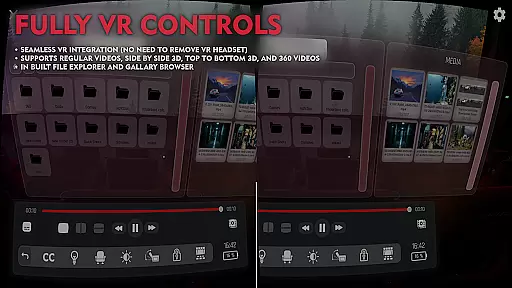
VR Player Plus stands out by offering a distinctive combination of advanced media player capabilities and immersive virtual reality environments. The app provides users with a unique opportunity to transform ordinary video playback into a captivating cinematic event. Its ability to support various video formats ensures compatibility with most media files, making it a versatile choice for diverse user needs.
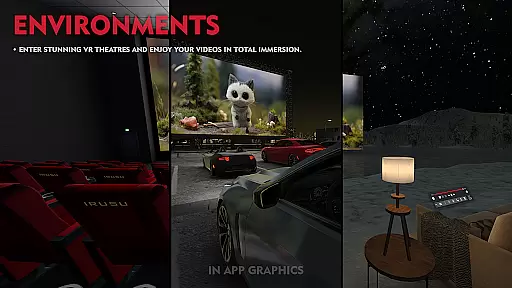
The app solves common issues such as limited viewing space and lack of atmosphere during movie sessions by creating virtual environments that mimic real theaters. What makes it different from alternatives is its focus on customization options, allowing users to adjust every aspect of their virtual experience. Regular updates and attention to detail in feature implementation demonstrate commitment to quality and user satisfaction.
Immersive VR experience
Wide format compatibility
Customizable theater settings
Intuitive user interface
Regular feature updates
Requires compatible VR headset
Occasional performance lag
Limited free features
Steep learning curve
High system requirements

Disney Stickers: Zootopia 2
 4.4
4.4
Practice and master your ESP and intuition with five mode trainer.
4.20
With the credits you earn play more games
2.90
Catalog & tracker of your DVD, Blu-ray & Digital Movie and TV Collection Library
4.80
The JBL Portable app works with JBL portable Bluetooth speakers.
4.60
The Xbox app keeps you connected to your gaming community.
4.50
5 funny and lovely ponies waiting for you to style them!
4.80
Companion app for Elden Ring to track quests, bosses, progress and more.
4.70
Earn big rewards like PayPal & Amazon gift cards by playing games you love!
4.30
Open-source, fast, simple and powerful IPTV app
4.90
Pathfinder 2e initiative tracker with bestiary, HP, reaction, conditions, etc
4.80
Time tracking, lap counting and much more for Carrera® Digital 132/124
4.80
Wodfix Air aggregates popular online content for you.
4.80
Live TV, sports & holiday movies — stream on phone, tablet & TV
4.60
Find out if you're on Santa's Naughty or Nice List with this magical scanner!
4.60
Direct access to the most complete Guitar Tab Archive in Spanish: LaCuerda.net
4.60
Fire effects for your Philips Hue lights
4.20
Browse popular images and videos from Reddit on Android TV!
3.90
Binaural Brainwave Doses for Every Imaginable Mood
3.60


User Reviews