
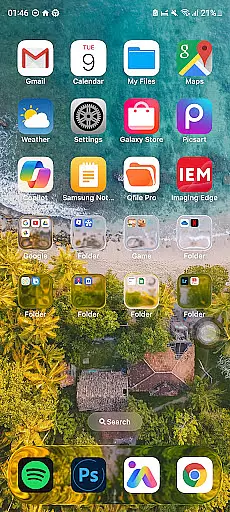
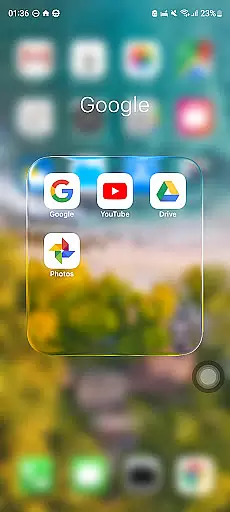
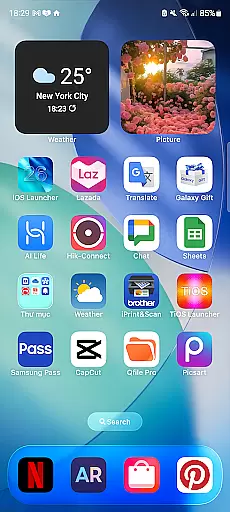
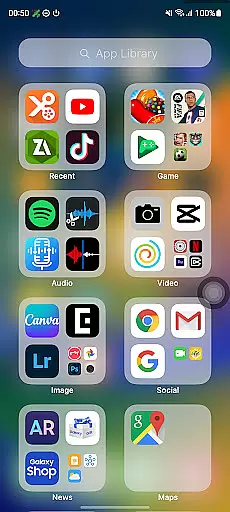
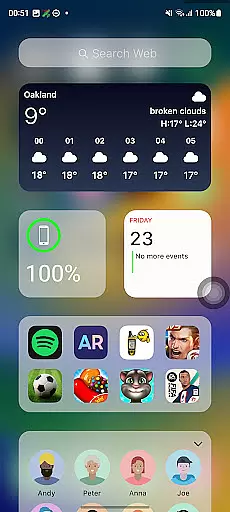
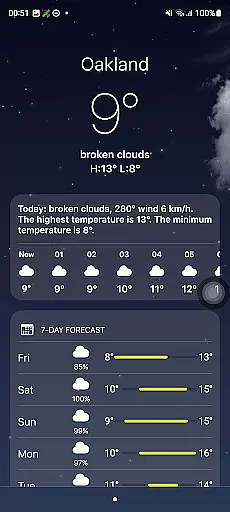
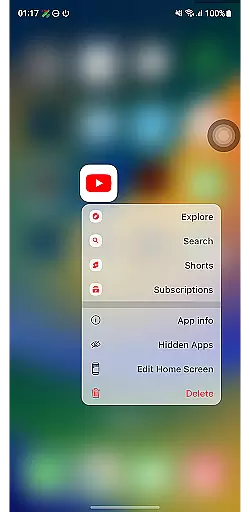
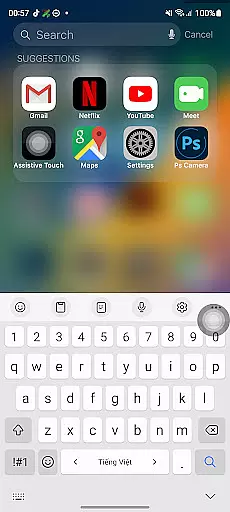
Launcher iOS 26 is a personalization mobile app designed to bring the look and feel of iOS to Android devices. This launcher app transforms the user interface by mimicking the design elements of Apple's operating system. Users can enjoy features such as app icons, wallpapers, and gestures that resemble those found on iPhones.
The main purpose of Launcher iOS 26 is to provide an alternative app experience for Android users who prefer the aesthetics and functionality of iOS. The app offers customization options including icon packs, transition animations, and control center shortcuts. These features aim to enhance usability while maintaining a familiar environment for those accustomed to iOS.
Launcher iOS 26 caters primarily to Android users who appreciate the design language of iOS but prefer to stay within the Android ecosystem. The target audience includes individuals aged 18-45 who value aesthetics in their mobile app experience. Tech-savvy users seeking customization options will find this app particularly appealing.
This app-based solution is ideal for scenarios where users want to refresh their device's appearance without switching platforms. For example, someone gifting an Android phone to an iPhone user can recommend this launcher app. Additionally, it serves users who enjoy experimenting with different themes and layouts to personalize their app experience.
Choosing Launcher iOS 26 provides users with a unique combination of familiarity and customization. The app bridges the gap between iOS and Android by offering an interface that feels intuitive to former iPhone users while leveraging Android's flexibility. Key benefits include enhanced visual appeal and improved navigation through iOS-like gestures.
The app solves the problem of disjointed user experiences when switching between platforms. Unlike other launcher apps, Launcher iOS 26 focuses specifically on replicating the iOS environment with precision. Regular updates and active community support make it stand out among alternatives. These factors contribute to a polished and reliable app experience.
Highly customizable interface
Regular feature updates
Intuitive gesture controls
Lightweight and fast performance
Active user community
Limited widget options
Occasional compatibility issues
No native iOS apps included
Some features require pro version
Settings menu can be complex

Art & Emoji Keyboard with Cool Fonts, Cute Themes and Custom Designs.
 4.40
4.40
Personalize your phone with stunning HD and 4K wallpapers!
4.70
The definitive Icon pack maker and editor
4.30 4.50
4.50
Stylish Pink Cute Hippo keyboard with 10000+ customized keyboard themes!
4.60
Yandex Browser — stylish and secure, with voice search and data compression
4.40
300+ Stunning and well-designed widgets inspired by NOTHING.
4.70
A minimalist productivity launcher. One-hand-friendly. Zero ads.
4.70
Create stunning widgets with Widget 2026: Aesthetic Widgets for Android!
4.60
Nothing Icon pack with more than 3750+ highly crafted icons.
4.70
Stunningly Different look with Line Icons and Neon Colors
4.60
Embrace the Night. Unleash the power of darkness with Raven Dark Icon Pack
4.60
3D, live, and moving wallpapers & themes in 4K and HD for your device.
4.50 4.50
4.50
Unleash Your Creativity and Connect with Loved Ones with Lockscreen Drawing!
4.20
Run multiple accounts of the same app on a single device
4.10
Transform your phone with stunning video wallpapers and a unique, personal touch
3.80
Interactive Miniature Painting Catalogue
3.30
Modern Glass Icon Pack with glossy icons, clean minimal theme & aesthetic style
4.2


User Reviews