
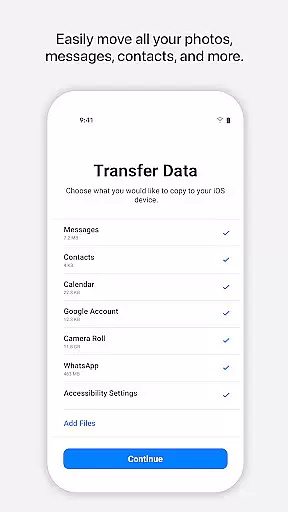
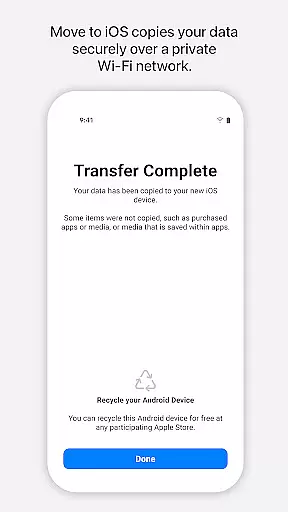
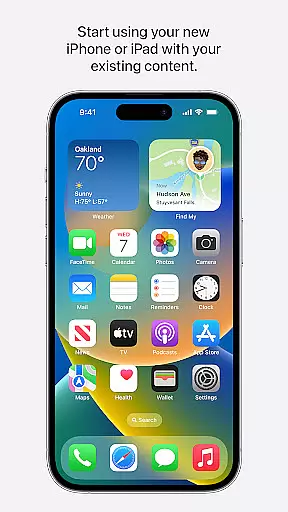
Move to iOS is a mobile app designed to simplify the process of switching from an Android device to an iPhone. This app-based solution offers a seamless way to transfer data such as contacts, message history, photos, videos, and more without complications. The app ensures that users can migrate their essential content securely and efficiently.
The primary purpose of Move to iOS is to enhance the transition experience for users upgrading to Apple's ecosystem. It provides core features like wireless data transfer, compatibility with various file types, and step-by-step guidance. By focusing on accessibility and ease of use, this Android app minimizes the stress associated with changing devices and ensures a smooth shift.
Move to iOS is ideal for individuals who are transitioning from an Android device to an iPhone. The target audience includes first-time iPhone users who may not be familiar with Apple's ecosystem. Additionally, it appeals to anyone seeking a reliable app-based solution for data migration. The app experience is particularly beneficial for users aged 18-45 who frequently upgrade their devices.
This app is commonly used when purchasing a new iPhone and needing to move essential data. For example, a user might employ it to transfer years of photos or important contacts. It also serves those who prioritize security during data migration. Practical scenarios include upgrading for work purposes or gifting a new device to a family member while ensuring all previous data remains intact.
Move to iOS stands out due to its ability to streamline the often stressful process of switching operating systems. A key advantage is its wireless functionality, which eliminates the need for cables or additional software. Users benefit from a secure and straightforward app experience that reduces the risk of data loss. These features make it a preferred choice over alternative solutions that may require technical expertise.
The app solves the problem of fragmented data migration by consolidating all necessary tools into one platform. Unlike other apps, it provides clear instructions and maintains a focus on user accessibility. Its compatibility with multiple file types further enhances its value. When compared to manual methods or third-party apps, Move to iOS delivers a polished and integrated solution tailored specifically for Android-to-iPhone transitions.
Easy to use interface
Fast data transfer speeds
Secure wireless connection
Comprehensive file compatibility
Free to download and use
Limited to Apple devices only
Requires both devices to have internet access
No option to select partial data transfer
Occasional connectivity issues
Not available for other platforms

FV File Manager Pro, Fast and powerful file manager for Android
 4.60
4.60
Learn the vast amount of system information about device and monitor it's state
4.70
Use your phone as a webcam on your computer over WiFi or USB.
4.40
Unlock your Essential Key. Create custom shortcuts to your favorite apps!
4.4
App that Recover your pictures, videos or files after you delete them.
4.20
Carry a FTP server in your pocket and avoid USB cables for file transfer
4.20
Play your X-Box games remotely in 1080p with any controller and zero latency
4.60
Fun lie-detection pranks for friends and parties.
3.80
Clean up your phone, find files, play media, and share files offline
4.50
Monitor car performance in real time and troubleshoot malfunctions.
4.80
The one-and-only remote control for PC, Mac, and Linux
4.70
HD Camera captures every special moment.
4.60
Game Booster, GFX Tool is now compatible with newer game update
4.50
Just swipe the edge to do something!
4.40
Forza Tuning Calculator App for Forza Horizon 5, Motorsport and Earlier Titles
4.40
Remote for Roku, Fire TV, Samsung TV, LG TV, Android TV, Chromecast and VIZIO TV
4.20
This app unlocks the Pro features of the Central for DayZ app
3.60
Clean the junk files on your device
3.40
PDF Reader - Document Viewer: Read, Manage & Organize Your Documents
3.10


User Reviews