
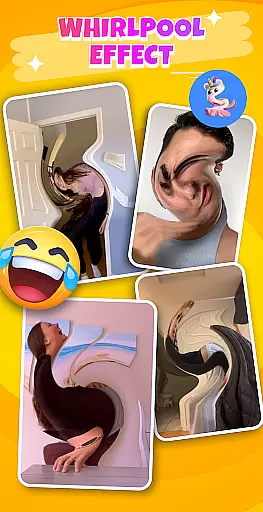
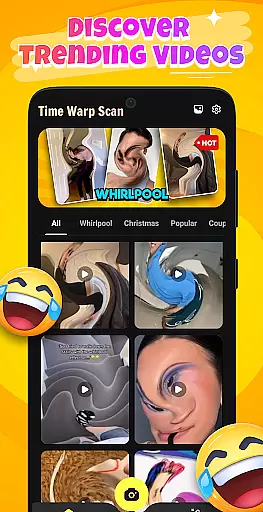
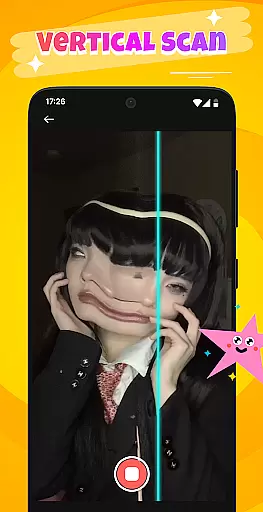
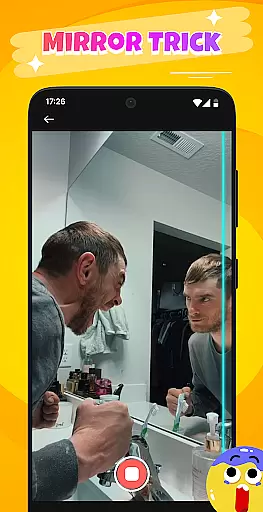
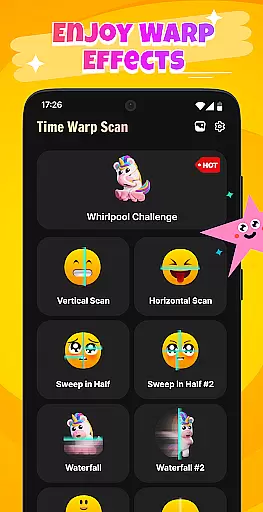
Time Warp Scan: Scanner Filter is a photography app designed to create engaging visual effects by simulating a scanning motion over images. This mobile app allows users to add a dynamic twist to their photos, making them appear as if they are being scanned in real-time. The app's appeal lies in its ability to transform ordinary pictures into eye-catching animations with minimal effort.
The primary purpose of this Android app is to provide an easy-to-use tool for generating creative content. Users can apply the scanner effect to portraits or objects, customize animation speed, and choose from various filters. With its straightforward interface and unique feature set, the app experience focuses on delivering fun and shareable results that stand out on social media platforms.
This app appeals primarily to younger audiences aged 15-30 who enjoy experimenting with photo editing and sharing creative content online. It is ideal for individuals seeking quick and unique ways to enhance their social media presence. Those who appreciate playful and unconventional photo effects will find this app particularly engaging.
Users can employ this app-based solution in various scenarios such as creating standout Instagram posts, adding humor to group photos, or enhancing video presentations with animated effects. It also serves as a fun tool during parties or events where memorable moments need an extra touch of creativity. The app's simplicity makes it suitable for both casual users and photography enthusiasts alike.
Time Warp Scan stands out due to its unique scanning effect which is not commonly found in other photo editing apps. The app provides a fresh approach to content creation, enabling users to produce videos that capture attention on crowded social feeds. Its value proposition lies in combining novelty with ease of use, ensuring that even beginners can achieve professional-looking results.
The app solves the problem of repetitive and uninspired photo content by offering a distinctive way to present images. Unlike many alternatives, it focuses solely on one core feature, executing it flawlessly without unnecessary complexity. Regular updates and a responsive interface further enhance its appeal, making it a reliable choice for those seeking innovative app features in the photography category.
Unique scanning effect
Easy to use interface
Quick sharing options
High-quality output
Regular feature updates
Limited filter variety
No advanced editing tools
Occasional performance lag
Ads between uses
Short animation length

An interval timer to automate photo taking process for timelapse
 2.90
2.90
Natural Beauty, Selfie Retouch
4.30
Photo prints, cards, & gifts at Walgreens. Easy ordering & fast local pickup !
4.80
AI photo editor with hair editor, retouch tools, hair color changer & filters!
4.50
USB Storage Access for Photos, Videos, Music and Documents
3.80
GCamera allows all GCam features on all phone models! Better photos with GCamera
3.30
Luminar: Photo Editor - easy picture editing with AI
4.20
Snap photos remotely using your Garmin watch as the camera trigger
4.5
Your personal guide to the sun and moon. Plan ahead, visualize and predict!
4.70
Take videos and pictures with the popular TikTok TIME WARP SCAN filter.
4.60
Discover & download millions of art for The Frame TV or Hisense CanvasTV
4.60
Effortlessly organize, view and share your photos & videos with Gallery app!
4.40
Search, tag and rate your way to an organized image gallery
4.40
[3DSteroid Pro] is a stereoscopic application for Android.
4.30
Shooting photos and records video easily and efficient with professional Camera
4.30
All-in-One Editor & AI Photo Enhancer, Collage, Cartoonify, Funny Stickers & BGS
4.10
Professional quality photo edits with the new Snapseed.
4.00
Professional video recording application with manual controls for filmmakers!
2.80
Remote control the phone camera shutter from your smartwatch and take a picture
1.60


User Reviews