
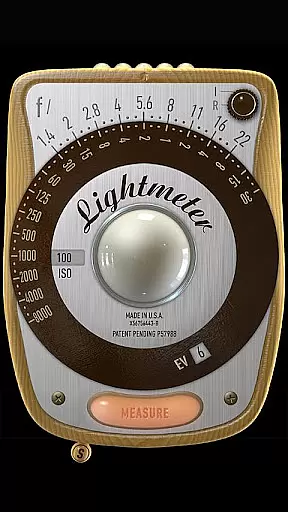
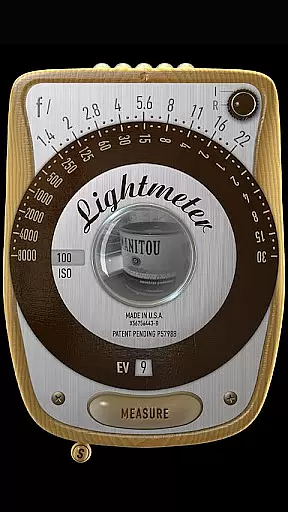
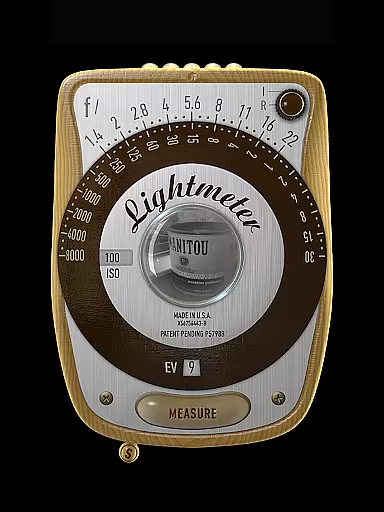
LightMeter is a mobile app designed for photographers who need precise light measurements to enhance their photography experience. This Android app provides users with an easy-to-use interface that mimics the functionality of a traditional light meter. The app's main purpose is to ensure accurate exposure settings, which are crucial for capturing high-quality images in various lighting conditions.
The core function of LightMeter revolves around its ability to measure light intensity and suggest optimal camera settings. It supports both incident and reflected light readings, making it versatile for different photography styles. By offering features such as spot metering and EV compensation, this app-based solution caters to both amateur and professional photographers looking to refine their craft.
LightMeter is ideal for photographers who require precision in their work. It appeals to a wide range of users, from beginners learning the basics of exposure to seasoned professionals needing reliable tools on the go. The app is particularly beneficial for those who frequently shoot in challenging lighting conditions where accuracy is paramount.
Photographers can use LightMeter in various scenarios, such as landscape photography where natural light changes rapidly, or studio settings where artificial lighting needs careful calibration. The app also serves as a learning tool for photography students who want to understand the intricacies of light measurement. Its compatibility with different camera models makes it a versatile app-based solution for anyone serious about improving their photography skills.
Choosing LightMeter means opting for a tool that enhances photographic precision and reliability. The app offers a comprehensive set of features that cater to the nuanced needs of photographers. With its ability to provide accurate light readings and suggest optimal settings, it ensures that users can achieve the best possible results in any environment.
The app solves common problems faced by photographers, such as incorrect exposure settings and inconsistent lighting. It stands out from other similar apps due to its user-friendly interface and advanced functionalities like spot metering and EV compensation. These features make it a preferred choice for those seeking a reliable and efficient mobile app to support their photography endeavors.
Accurate light readings
User-friendly interface
Customizable settings
Real-time histogram display
Seamless app integration
Limited free features
Requires calibration
Battery consumption high
Occasional lag
Not all cameras supported

Easily stitch panoramas from multiple photos or video.
 4.40
4.40
Create funny photos and videos with the popular Time Warp Scan filter.
4.90
What celebrity do you look like? Celebs will find your celebrity match!
4.10
Virtual makeup, hair filters & body tuner—edit from face to full body!
4.20
HD Camera Pro with HD Video shooting, Panorama, Photo editor , Beauty Camera.
4.50
A reflected light meter with spot metering and incident light metering.
4.40
AI Photo Editor with 100+ Filters, Effects! Remove BG, Retouch & Photo Enhancer.
4.80
Pro version: AR sun/moon tracker for any date. Tool for photographers & planners
4.90
Welcome to ProShot, the most powerful camera app on Android.
4.20
Perfect body tune & face app - photo retouch, makeup, slim body & beautify face.
4.80
Cartoon and artistic effects for your photos and videos
4.70
Enhance, retouch & create your story - Share the moment with Photoshop Express.
4.60
Cut and paste photo editor & eraser to customize photos easy and swap faces fun
4.50
AI photo enhancer with Sora 2! Enhance, descratch, and colorize your old photos.
4.50
Trendy TikTok time warp scan funny filter app brings you unique photos & videos.
4.40
Shooting photos and records video easily and efficient with professional Camera
4.30
Professional photography on your mobile phone
4.20
All-in-One Editor & AI Photo Enhancer, Collage, Cartoonify, Funny Stickers & BGS
4.10
Superimpose one photo on top of another using the original Superimpose app!
3.20


User Reviews